

Accept Stripe payments on WordPress without WooCommerce. One-time and recurring forms, 26 form templates, Elementor, and PayPal one-time checkout.
★ 5.0/5 (22)200+ active installations
- Version
- 1.6.1
- WordPress
- 6.1+
- PHP
- 7.4+
- Updated
- 8 Oct 2026
WORDPRESS RESOURCES
Explore public plugin information from the official WordPress.org directory. Compare what a plugin does, its requirements and update history before adding it to your website.
Explore WordPress hosting →6,811 matching plugins reported by WordPress.org · Page 5 of 50
Source: WordPress.org
Data refreshed 24 Nov 2026 06:32 UTC
Accept Stripe payments on WordPress without WooCommerce. One-time and recurring forms, 26 form templates, Elementor, and PayPal one-time checkout.

By Noor Alam
Easily accept payment in WordPress by adding a PayPal button to your website.

Turn any WordPress site into an online appointment booking system. Real-time calendar, staff scheduling, WooCommerce payments, coupons, and a customer …
AI form builder for WordPress. Build contact forms, payment forms, quiz, survey & conversational forms with built-in AI or drag & drop builder.

By Ramesh Kumar
Short Description: This plugin clones the Direct Bank Transfer gateway to create another offline payment method. License: GPLv2 or later

By Alex Zaytseff
WooCommerce plugin - Multi CryptoCurrency Payments Requires at least WooCommerce: 6.0 Tested up to: 11.2.0 License: GPLv2 or later
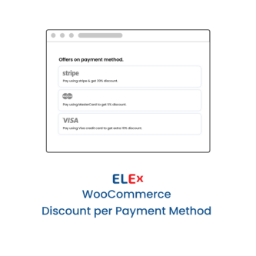
By ELEXtensions
It will be a pleasant little surprise for customers if you offer a discount based on the payment method they have chosen on the Checkout page.

By WPFactory
Manage currencies for WooCommerce payment gateways. Beautifully.

By RaiAccept
Raiffeisen Bank Payment Gateway.

By paytiumsupport
Mollie forms for payments and donations. With iDEAL | WERO , PayPal, Credit/Debet cards, subscriptions and recurring payments!

By magepeopleteam
Accept partial payments, deposits, and installments on your WooCommerce store.

By CryptoWoo
Digital Currency Payment Gateway for WooCommerce. Easily accept Bitcoin, Bitcoin Cash, Litecoin, Dogecoin, and more in your store.
CHOOSE WHAT YOUR WEBSITE NEEDS
Start with the task you need to solve. Compare features, WordPress and PHP requirements, update history and the author’s documentation. Test changes on a private copy and avoid adding several plugins for the same job.
This independent directory displays plugin information on WebFulHost and links to the official source. Packages are not mirrored or installed here. A plugin can include paid extensions or services with separate terms from its author.
