Patchstack automatically identifies and mitigates security vulnerabilities in WordPress plugins, themes, and core.
★ 4.8/5 (62)200,000+ active installations
- Version
- 2.3.8
- WordPress
- 5.2+
- PHP
- 5.6+
- Updated
- 16 Nov 2026
View plugin details ↗Patch wp2shell instantly by Disabling REST API access.
★ 5.0/5 (6)30,000+ active installations
- Version
- 0.4.2
- WordPress
- 3.9+
- Updated
- 27 Oct 2026
View plugin details ↗Clean database by deleting orphaned data such as 'revisions', 'expired transients', optimize database and more...
★ 4.9/5 (1,964)100,000+ active installations
- Version
- 4.2.0
- WordPress
- 5.0.0+
- PHP
- 7.0+
- Updated
- 20 Aug 2026
View plugin details ↗Create a staging WordPress site from production (live site). Ideal for testing updates, version change or re-write. Sync back only the changes.
★ 4.5/5 (12)40,000+ active installations
- Version
- 0.1.4.5
- WordPress
- 5.6+
- PHP
- 7.0+
- Updated
- 18 Nov 2026
View plugin details ↗Clone, copy, and duplicate WordPress sites, single sites, and multisite subsites with NS Cloner, a fast WordPress site cloner and site duplicator.
★ 4.7/5 (279)6,000+ active installations
- Version
- 4.4.9.2
- WordPress
- 5.0+
- PHP
- 7.0+
- Updated
- 27 Aug 2026
View plugin details ↗Import and export WordPress posts, pages, users and media from any CSV or XML file, URL, FTP or Google Sheets — with visual field mapping.
★ 4.4/5 (25)4,000+ active installations
- Version
- 2.15.2
- WordPress
- 4.0+
- PHP
- 5.6+
- Updated
- 8 Oct 2026
View plugin details ↗Block spam comments, defend against login attacks, strengthen site security. Anti-spam, brute-force protection & two-factor authentication built in.
★ 4.5/5 (370)50,000+ active installations
- Version
- 7.5.6
- WordPress
- 5.6+
- PHP
- 7.4+
- Updated
- 13 Nov 2026
View plugin details ↗Turn WordPress into a private intranet in one click. Restrict access to logged-in members, with auto-logout and login redirect, also on multisite.
★ 5.0/5 (11)3,000+ active installations
- Version
- 1.10.0
- WordPress
- 5.5+
- PHP
- 7.0+
- Updated
- 3 Aug 2026
View plugin details ↗The fastest, GDPR-compliant all in one social feed. Display blazing-fast Instagram, Facebook, TikTok, YouTube & X feeds in a beautiful Social Wall.
★ 4.6/5 (502)30,000+ active installations
- Version
- 6.8.2
- WordPress
- 3.3+
- Updated
- 28 Oct 2026
View plugin details ↗Most Powerful Data visualization plugin for WordPress Elementor. The easiest way to build gorgeous Charts & Graphs on your Elementor website.
★ 4.1/5 (16)9,000+ active installations
- Version
- 3.1.14
- WordPress
- 5.9+
- PHP
- 8.0+
- Updated
- 4 Nov 2026
View plugin details ↗The AI chatbot, AI agent and MCP server for WordPress. Connect OpenAI, Claude, Gemini and more to chat, write, search and automate your site.
★ 4.9/5 (880)90,000+ active installations
- Version
- 3.9.4
- WordPress
- 6.0+
- PHP
- 8.1+
- Updated
- 12 Nov 2026
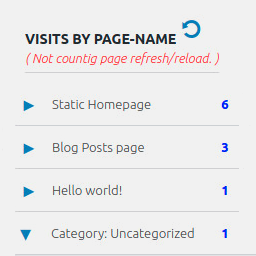
View plugin details ↗Display number of visits for each page in admin dashboard and browser developer-tool/console. Doesn't count page refresh as a new visit...
★ 4.0/5 (7)5,000+ active installations
- Version
- 2.0.5
- WordPress
- 6.5+
- PHP
- 5.6.40+
- Updated
- 14 Sep 2026
View plugin details ↗