
Occupancy Plan
By tharkun69
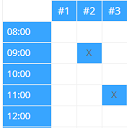
Create configurable occupancy schedules and let visitors view, request and manage bookings directly in the WordPress frontend.
★ 5.0/5 (5)100+ active installations
- Version
- 1.7.1
- WordPress
- 4.9+
- PHP
- 5.3+
- Updated
- 22 Nov 2026
WORDPRESS RESOURCES
Explore public plugin information from the official WordPress.org directory. Compare what a plugin does, its requirements and update history before adding it to your website.
Explore WordPress hosting →508 matching plugins reported by WordPress.org · Page 5 of 43
Source: WordPress.org
Data refreshed 24 Nov 2026 23:59 UTC
By tharkun69
Create configurable occupancy schedules and let visitors view, request and manage bookings directly in the WordPress frontend.

All-in-one WordPress image optimization: disable thumbnails, compress, convert to WebP & AVIF, clean your media library, and offload images to a CDN.

By Notification Master
Send push, email, and real-time notifications across 12+ channels like WhatsApp, Slack, and Discord. Boost engagement automatically.

By cedcommerce
Product Lister for eBay lists your WooCommerce products on eBay and keeps their stock and price up to date.
Automatically share your WordPress posts on multiple social networks like Facebook, X (Twitter), LinkedIn, Instagram and more.

By Sezzle
Sezzle is an alternative payment platform that increases sales and basket sizes by enabling your customers to 'buy now and pay later' with b …
MoeSec Security is a comprehensive plugin for Malware Scanning, Monitoring, Integrity, Security Hardening and Protection.
Manage PHP & JS snippets the clean way, then turn any function into an AI tool, a workflow step, or a REST endpoint. Write once, use everywhere. 🤟

Bookingor is a wp Booking plugin for Appointment Booking system. Scheduling Booking Calendar events, meeting scheduler, Automated book appointment
The easiest way to connect Google Analytics 4 to WordPress. See real-time stats, eCommerce, and events tracking, right in your dashboard.
Manage WordPress from Claude or ChatGPT with a free MCP server: posts, WooCommerce, SEO and Elementor. AI chatbot and content writer included.

By Mehdi Rezaei
Safely analyze, preview, trash, restore, schedule, regenerate, and manage WordPress thumbnails from a clean tabbed admin screen.
CHOOSE WHAT YOUR WEBSITE NEEDS
Start with the task you need to solve. Compare features, WordPress and PHP requirements, update history and the author’s documentation. Test changes on a private copy and avoid adding several plugins for the same job.
This independent directory displays plugin information on WebFulHost and links to the official source. Packages are not mirrored or installed here. A plugin can include paid extensions or services with separate terms from its author.



