

Easy Image Filters
By Kiran Potphode
Apply filters and effects to Media Library images and save the result as a new image, without changing the original.
★ 5.0/5 (2)300+ active installations
- Version
- 1.1.0
- WordPress
- 6.6+
- PHP
- 7.4+
- Updated
- 28 Nov 2026
WORDPRESS RESOURCES
Explore public plugin information from the official WordPress.org directory. Compare what a plugin does, its requirements and update history before adding it to your website.
Explore WordPress hosting →10,000 matching plugins reported by WordPress.org · Page 5 of 50
Source: WordPress.org
Data refreshed 29 Nov 2026 01:04 UTC
By Kiran Potphode
Apply filters and effects to Media Library images and save the result as a new image, without changing the original.

By CleanTalk Inc
Advanced antispam for comments, fake registrations, orders & contact forms spam. No CAPTCHA, FireWall and honeypot. We catch spam others miss!

By VillaTheme
Easily add customizable filters to WooCommerce products with Pofily. Tailor filters to customer needs for seamless product searches.

By Epsiloncool
Extends the default fulltext search with relevance, jet speed and ability to search any posts, metadata, taxonomy, shortcode content and more data.

By CodeManas
Lightning fast search for your WordPress site, powered by Typesense.
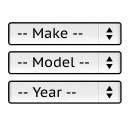
By Pektsekye
It will find products for selected make and model.

By bennettmcelwee
Search Meter tracks what your readers are searching for on your site. View full details of recent searches or stats for the last day, week or month.

By Sumit Singh
Extend search functionality to search in selected post meta, taxonomies, post types, and all authors.

By CreativeMindsSolutions
Search and replace words, phrases, and HTML within your website posts and pages.

By A WP Life
Create filterable portfolio galleries with photos, videos, category filters in masonry layouts. Supports Gutenberg blocks and Elementor widgets.

By WPClever
WPC AJAX Search is an interaction search popup for WooCommerce.

By Trustindex
Google Reviews Widget for WordPress. Display Google reviews in 1 minute with 45 professional layouts. Build trust, boost SEO, and increase sales.
CHOOSE WHAT YOUR WEBSITE NEEDS
Start with the task you need to solve. Compare features, WordPress and PHP requirements, update history and the author’s documentation. Test changes on a private copy and avoid adding several plugins for the same job.
This independent directory displays plugin information on WebFulHost and links to the official source. Packages are not mirrored or installed here. A plugin can include paid extensions or services with separate terms from its author.