Social Login with Discord, Facebook, Google, Twitter, LinkedIn and 40+ apps. Social share & comments. Free, fast & easy! WooCommerce Integration.
★ 4.6/5 (357)10,000+ active installations
- Version
- 7.9.2
- WordPress
- 4.4+
- PHP
- 7.0+
- Updated
- 6 Nov 2026
View plugin details ↗Sticky Social Link is a Floating/Sticky Social Link Plugin. This Plugin will make Your social media links sticky/floating on your website.
★ 5.0/5 (4)1,000+ active installations
- Version
- 2.0.1
- WordPress
- 6.0+
- PHP
- 7.0+
- Updated
- 11 Jun 2026
View plugin details ↗Instagram feed plugin for WordPress: Display your Instagram photos, videos & reels. Easy setup with Gutenberg block, widget, shortcode & Elementor
★ 4.3/5 (52)50,000+ active installations
- Version
- 2.4.3
- WordPress
- 6.5+
- PHP
- 7.4+
- Updated
- 14 Nov 2026
View plugin details ↗Automatically publishes blog posts to profiles, pages, groups, and communities across supported social networks.
★ 3.3/5 (618)20,000+ active installations
- Version
- 4.5.3
- WordPress
- 6.0+
- PHP
- 7.4+
- Updated
- 23 Nov 2026
View plugin details ↗AIOSEO is the WordPress SEO plugin. Boost SEO rankings with AI SEO tools, schema, meta descriptions, XML sitemaps & rank tracking.
★ 4.7/5 (5,242)2,000,000+ active installations
- Version
- 5.0.5.1
- WordPress
- 5.7+
- PHP
- 7.4+
- Updated
- 13 Nov 2026
View plugin details ↗Schedule posts without subscription fees. Self-hosted, AI-powered, with full MCP support for intelligent automation.
★ 4.8/5 (30)600+ active installations
- Version
- 0.9.6
- WordPress
- 6.0+
- PHP
- 8.1+
- Updated
- 10 Nov 2026
View plugin details ↗Add social sharing icons to a post or page of your WordPress website and allow visitors to share your content on various social media sites.
★ 4.4/5 (5)1,000+ active installations
- Version
- 1.7.8
- WordPress
- 5.0+
- PHP
- 7.0+
- Updated
- 24 Nov 2026
View plugin details ↗Social media automation, social media scheduling and auto publish for WordPress posts to Facebook, X/Twitter, Threads, LinkedIn, Telegram and more.
★ 4.3/5 (11)200+ active installations
- Version
- 1.4.6
- WordPress
- 6.2+
- PHP
- 7.4+
- Updated
- 5 Nov 2026
View plugin details ↗Publish your cookie banner or notice in minutes. Automatically scan cookies, and create policies to align with GDPR, CCPA, and Google Consent Mode.
★ 4.7/5 (1,674)1,000,000+ active installations
- Version
- 7.5.7
- WordPress
- 5.9+
- PHP
- 7.4+
- Updated
- 4 Nov 2026
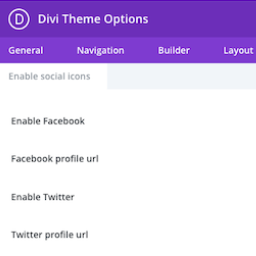
View plugin details ↗This plugin adds the ability to add more social icons to your website when using the Divi theme.
★ 5.0/5 (4)1,000+ active installations
- Version
- 1.8.1
- WordPress
- 5.1+
- PHP
- 5.4+
- Updated
- 7 May 2026
View plugin details ↗
By iworks (Marcin Pietrzak)
The simple method to add Open Graph metadata to your entries so that they look great when shared on sites.
★ 4.8/5 (216)20,000+ active installations
- Version
- 3.4.0
- WordPress
- 6.0+
- PHP
- 8.0+
- Updated
- 30 Oct 2026
View plugin details ↗Lightweight SEO assistant for meta tags, schema and structured data, XML sitemaps, Open Graph previews, robots.txt, and Search Console.
★ 4.8/5 (56)300,000+ active installations
- Version
- 1.11.2
- WordPress
- 6.7+
- PHP
- 7.4+
- Updated
- 23 Nov 2026
View plugin details ↗