WhatsApp chat button with multiple agents, welcome bubble, working hours, page rules and privacy-first click analytics. No cookies, no third parties.
★ 5.0/5 (2)300+ active installations
- Version
- 2.3.0
- WordPress
- 5.8+
- PHP
- 7.4+
- Updated
- 4 Nov 2026
View plugin details ↗Custom email and SMS notifications. Automatic send actions. WPForms SMS integration. WooCommerce notifications for purchases, abandoned cart and more!
★ 4.5/5 (21)700+ active installations
- Version
- 1.4.0
- WordPress
- 5.0+
- Updated
- 5 Oct 2026
View plugin details ↗Makes your site's header or menu sticky on scroll with auto-detection, animations, scroll direction control, and breakpoints. No coding required.
★ 5.0/5 (1)30+ active installations
- Version
- 1.0.2
- WordPress
- 5.5+
- PHP
- 7.4+
- Updated
- 26 Jul 2026
View plugin details ↗An easy way to sell digital products and manage licenses with WooCommerce.
★ 4.7/5 (78)1,000+ active installations
- Version
- 2.3.9
- WordPress
- 5.2+
- PHP
- 7.4+
- Updated
- 20 Oct 2026
View plugin details ↗Add the possibility of "sticky" CPT. (Gutenberg compatibility)
★ 5.0/5 (2)40+ active installations
- Version
- 3.0.0
- WordPress
- 6.6+
- PHP
- 8.2+
- Updated
- 30 Sep 2026
View plugin details ↗Optimize images on-the-fly using Cloudflare's Image Resizing service, improving performance and core web vitals.
★ 4.5/5 (17)200+ active installations
- Version
- 1.5.9
- WordPress
- 5.0+
- PHP
- 7.0+
- Updated
- 11 Mar 2026
View plugin details ↗One-Stop Solution for Automated label creation 🏷️, Smart shipment tracking 📍, branded tracking page 🖼️, automated survey 📝, order management 📦, cost c …
★ 5.0/5 (3)400+ active installations
- Version
- 1.2.8
- WordPress
- 6.0+
- PHP
- 7.4+
- Updated
- 24 Sep 2025
View plugin details ↗Experience Darklup — Your WordPress ally for dark mode, dark themes, night mode and accessibility. Switch to an eye-friendly more inclusive web experi …
★ 4.5/5 (44)1,000+ active installations
- Version
- 4.0.1
- WordPress
- 6.5+
- PHP
- 7.4+
- Updated
- 17 Aug 2026
View plugin details ↗Engage your customer with Web Push Notifications. Send them personalised messages even when they aren't on your website.
★ 5.0/5 (5)80+ active installations
- Version
- 2.4.17
- WordPress
- 3.3+
- Updated
- 6 Nov 2025
View plugin details ↗Essential toolkit for a WordPress site: block editor enhancements, maintenance mode, image optimization, login and more.
★ 5.0/5 (3)500+ active installations
- Version
- 1.5.6
- WordPress
- 5.8+
- PHP
- 7.0+
- Updated
- 19 Nov 2026
View plugin details ↗Make YouTube videos stick to the screen on scroll, with position options for left, right, or center.
10+ active installations
- Version
- 1.0.5
- WordPress
- 5.7+
- PHP
- 7.0+
- Updated
- 8 Sep 2026
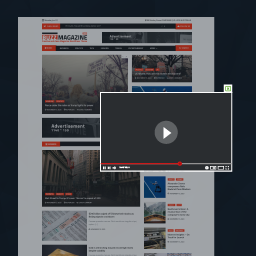
View plugin details ↗Display video embeds with a floating video effect, fixed to the page corner during scroll.
20+ active installations
- Version
- 1.0.11
- WordPress
- 5.0+
- PHP
- 7.2+
- Updated
- 9 Jun 2026
View plugin details ↗