

Taxonomy Images
By Ben Huson
Associate images from your media library to categories, tags and custom taxonomies.
★ 4.4/5 (40)8,000+ active installations
- Version
- 1.0
- WordPress
- 4.4+
- PHP
- 5.3+
- Updated
- 15 Feb 2024
WORDPRESS RESOURCES
Explore public plugin information from the official WordPress.org directory. Compare what a plugin does, its requirements and update history before adding it to your website.
Explore WordPress hosting →330 matching plugins reported by WordPress.org · Page 5 of 28
Source: WordPress.org
Data refreshed 21 Nov 2026 15:20 UTC
By Ben Huson
Associate images from your media library to categories, tags and custom taxonomies.

By bracket
Drag-and-drop ordering for posts, pages, custom post types, and taxonomy terms — with per-category post ordering.

By Farhan Ahmed
Write Markdown in Elementor and convert it into editable widgets with syntax-highlighted code blocks.
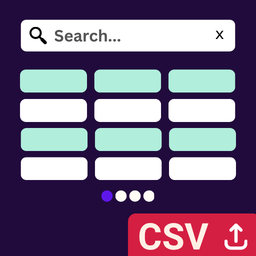
By Md Shariful Islam
Transform CSV files into beautiful, searchable, paginated tables in Elementor. Upload CSV and display as interactive tables with live search.

By dmccan
Yada Wiki is a simple wiki for your WordPress site.

By Aslam Doctor
Boost WooCommerce sales with the Rearrange Products for WooCommerce plugin. Easily reorder products with a simple drag-and-drop tool!

By Mohit Chawla
Practical editor blocks for publishers, creators, and site owners.

By CreativeMindsSolutions
Transform jargon into engaging content that boosts SEO, drives engagement, improves conversions, with automatic links and tooltips.

By Rubens Ayres
Convert simple HTML into editable Elementor pages.

By Jiwoon Kim
On-page table of contents block that builds from a post's headings and keeps the heading ids in sync.

By Terrible Monster Studio
Gutenberg blocks for dynamic content and custom fields, designed for block themes and full-site editing.

By biznova009
Upload a Markdown (.md) file and convert it into a block-editor post or page built from native blocks.
CHOOSE WHAT YOUR WEBSITE NEEDS
Start with the task you need to solve. Compare features, WordPress and PHP requirements, update history and the author’s documentation. Test changes on a private copy and avoid adding several plugins for the same job.
This independent directory displays plugin information on WebFulHost and links to the official source. Packages are not mirrored or installed here. A plugin can include paid extensions or services with separate terms from its author.