

A complete WordPress LMS plugin to create any eLearning website easily.
★ 4.4/5 (592)90,000+ active installations
- Version
- 4.2.3
- WordPress
- 5.3+
- PHP
- 7.4+
- Updated
- 26 Nov 2026
WORDPRESS RESOURCES
Explore public plugin information from the official WordPress.org directory. Compare what a plugin does, its requirements and update history before adding it to your website.
Explore WordPress hosting →1,535 matching plugins reported by WordPress.org · Page 5 of 50
Source: WordPress.org
Data refreshed 27 Nov 2026 16:50 UTC
A complete WordPress LMS plugin to create any eLearning website easily.
By Jelle Roorda
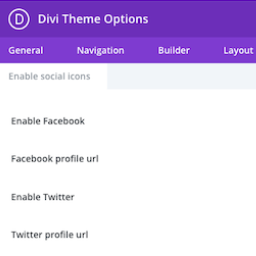
This plugin adds the ability to add more social icons to your website when using the Divi theme.
Automatically post and schedule your WordPress content to Facebook, X/Twitter, LinkedIn, Threads, Bluesky, and more social networks using Buffer.
Add lightweight social share buttons to WordPress posts and pages. Gutenberg-native, fully customizable, with shortcode support and share themes.
Collect and embed Instagram feeds, LinkedIn posts, Twitter feeds, YouTube videos, Google Reviews & 20+ social media widgets on your WordPress website.

By iworks (Marcin Pietrzak)
The simple method to add Open Graph metadata to your entries so that they look great when shared on sites.
Easily add code snippets in WordPress. Insert header & footer scripts, add PHP code snippets with conditional logic, insert ads pixel code, and more.
User role editing for WordPress. Manage user roles, control capabilities and permissions, and restrict admin access for any role.
Get leads with a floating contact form tab, chat & social buttons like Facebook Messenger, WhatsApp, Viber, Telegram, Twitter, Instagram & more 🎉

By Shamim Rajani
Create customized registration forms, Invite through email, Email Notification, User Roles assignment, and more.

By Trustindex
Facebook Feed Widgets. Display your Facebook feed on your website to increase engagement, sales and SEO.

By Iain Poulson
Increase social media engagement by previewing and managing how your content will look on social media sites before sharing it!
CHOOSE WHAT YOUR WEBSITE NEEDS
Start with the task you need to solve. Compare features, WordPress and PHP requirements, update history and the author’s documentation. Test changes on a private copy and avoid adding several plugins for the same job.
This independent directory displays plugin information on WebFulHost and links to the official source. Packages are not mirrored or installed here. A plugin can include paid extensions or services with separate terms from its author.





