

Simple Chat Button
By seramo
WhatsApp Chat Button - Display the beautiful WhatsApp Sticky Button on the WordPress frontend.
★ 4.8/5 (14)30,000+ active installations
- Version
- 1.9.3
- WordPress
- 3.7+
- PHP
- 5.6+
- Updated
- 21 Aug 2026
WORDPRESS RESOURCES
Explore public plugin information from the official WordPress.org directory. Compare what a plugin does, its requirements and update history before adding it to your website.
Explore WordPress hosting →7,274 matching plugins reported by WordPress.org · Page 5 of 50
Source: WordPress.org
Data refreshed 29 Nov 2026 20:55 UTC
By seramo
WhatsApp Chat Button - Display the beautiful WhatsApp Sticky Button on the WordPress frontend.

By mra13 / Team Tips and Tricks HQ
Allows you to accept fast and secure payments for products and services via a payment popup window, supporting both the new PayPal and Stripe Checkout …

By Amr M. Ibrahim
Full width Google Analytics dashboard widget for Wordpress admin interface, which also inserts latest Google Analytics (GA4) tracking code to your pag …

By Wow-Company
Hover Effect is easily applied to your own elements, modified or just used for inspiration.
The AI chatbot, AI agent and MCP server for WordPress. Connect OpenAI, Claude, Gemini and more to chat, write, search and automate your site.

By Benjamin Denis
WordPress SEO plugin with AI SEO metadata, schema, XML sitemap, redirections & Search Console. Privacy-first, white-label SEO. Now AI-ready.

By webaware
Embed Google Maps shortcodes in pages and posts, either by center coordinates or street address, or by URL to a Google Earth KML file.
By bruandet
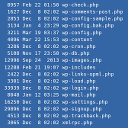
An xterm-like plugin to run non-interactive shell commands.

By Yannick Lefebvre
The purpose of this plugin is to add the ability to output a list of link categories and a complete list of links with notes and descriptions.
Powerful chat / chatbot / Fb chat and cart saver app for WordPress and WooCommerce, free as long as you want.

By malihu
Create links that scroll the page smoothly to any id within the document.

By Marcel Bootsman
This plugin adds an auto-hide feature to the WordPress Admin Bar or Toolbar.
CHOOSE WHAT YOUR WEBSITE NEEDS
Start with the task you need to solve. Compare features, WordPress and PHP requirements, update history and the author’s documentation. Test changes on a private copy and avoid adding several plugins for the same job.
This independent directory displays plugin information on WebFulHost and links to the official source. Packages are not mirrored or installed here. A plugin can include paid extensions or services with separate terms from its author.

