This is by far the best free WordPress share plugin. It is simple yet does exactly what it should with plenty of customisation options.
★ 4.1/5 (18)4,000+ active installations
- Version
- 2.1.9.1
- WordPress
- 4.0+
- PHP
- 7.4+
- Updated
- 30 Jul 2026
View plugin details ↗Extend Elementor with 68+ widgets, 114 prebuilt demos, Mega Menu Builder, Theme Builder, and advanced interactive effects.
★ 3.8/5 (79)300,000+ active installations
- Version
- 3.3.2
- WordPress
- 5.0+
- PHP
- 7.4+
- Updated
- 27 Nov 2026
View plugin details ↗Add albums, photo, audio/video upload, privacy, sharing, front-end uploads & more. All this works on mobile/tablets devices.
★ 3.7/5 (152)7,000+ active installations
- Version
- 4.7.19
- WordPress
- 4.9.6+
- Updated
- 20 Nov 2026
View plugin details ↗Social feed plugin: show Instagram, Facebook and X (Twitter) feeds in one responsive social media wall, grid or widget.
★ 3.3/5 (100)7,000+ active installations
- Version
- 5.0.8
- WordPress
- 5.0+
- PHP
- 5.6+
- Updated
- 11 Nov 2026
View plugin details ↗Sticky Social Link is a Floating/Sticky Social Link Plugin. This Plugin will make Your social media links sticky/floating on your website.
★ 5.0/5 (4)1,000+ active installations
- Version
- 2.0.1
- WordPress
- 6.0+
- PHP
- 7.0+
- Updated
- 11 Jun 2026
View plugin details ↗Adds social sharing buttons for Twitter, Facebook and LinkedIn to your blog posts or pages.
★ 5.0/5 (68)2,000+ active installations
- Version
- 1.3.12
- WordPress
- 4.5+
- PHP
- 7.4+
- Updated
- 20 Aug 2026
View plugin details ↗Embed Instagram, TikTok, Pinterest, and Twitter feeds easily using Gutenberg blocks.
★ 5.0/5 (1)600+ active installations
- Version
- 1.0.7
- WordPress
- 6.5+
- PHP
- 7.1+
- Updated
- 17 Nov 2026
View plugin details ↗Automatically publishes blog posts to profiles, pages, groups, and communities across supported social networks.
★ 3.3/5 (618)20,000+ active installations
- Version
- 4.5.3
- WordPress
- 6.0+
- PHP
- 7.4+
- Updated
- 23 Nov 2026
View plugin details ↗Two-factor authentication, passkeys, social login, magic login, limit login attempts, file change scanning and audit logs for WordPress.
★ 4.2/5 (36)10,000+ active installations
- Version
- 3.2.0
- WordPress
- 5.0+
- PHP
- 7.3+
- Updated
- 28 Nov 2026
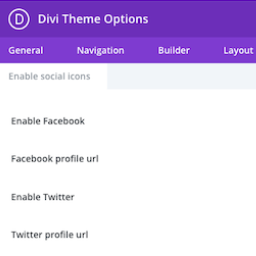
View plugin details ↗This plugin adds the ability to add more social icons to your website when using the Divi theme.
★ 5.0/5 (4)1,000+ active installations
- Version
- 1.8.1
- WordPress
- 5.1+
- PHP
- 5.4+
- Updated
- 7 May 2026
View plugin details ↗Simple & easy plugin to add social media sharing icons, buttons like Facebook, Twitter, WhatsApp, Instagram & more
★ 4.5/5 (129)9,000+ active installations
- Version
- 8.0
- WordPress
- 5.0+
- PHP
- 5.3+
- Updated
- 24 Sep 2026
View plugin details ↗AI chatbot trained on your Website. Answers 24/7, captures leads, hands off when unsure. Includes AI SEO, AI Writer, Social & AI Email Marketing.
★ 4.7/5 (125)5,000+ active installations
- Version
- 9.4.1
- WordPress
- 6.2+
- PHP
- 7.4+
- Updated
- 29 Nov 2026
View plugin details ↗