Use any image from your WordPress Media Library as a custom user avatar or user profile picture. Add your own Default Avatar.
★ 4.7/5 (41)100,000+ active installations
- Version
- 2.5.6
- WordPress
- 4.0+
- Updated
- 21 Aug 2026
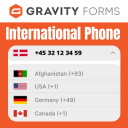
View plugin details ↗The plugin helps you in creating a country drop-down list with country flag.
★ 5.0/5 (2)400+ active installations
- Version
- 1.6.4
- WordPress
- 2.0+
- PHP
- 7.2+
- Updated
- 21 Aug 2026
View plugin details ↗Add a Contact Form 7 popup on button click. Create a simple CF7 popup form or contact form popup with just a few clicks.
★ 4.6/5 (16)5,000+ active installations
- Version
- 2.3
- WordPress
- 6.6+
- PHP
- 7.4+
- Updated
- 19 Nov 2026
View plugin details ↗Easily collect additional customer information by adding custom fields to the default WooCommerce registration form using the Registration Form for Wo …
★ 5.0/5 (3)1,000+ active installations
- Version
- 1.1.5
- WordPress
- 5.5+
- PHP
- 7.4+
- Updated
- 6 Nov 2026
View plugin details ↗Convert to Blocks transforms classic editor content to blocks on-the-fly.
★ 4.7/5 (10)2,000+ active installations
- Version
- 1.3.4
- WordPress
- 6.6+
- PHP
- 8.0+
- Updated
- 15 Sep 2026
View plugin details ↗Add powerful conditional page content support to WordPress based on Easy Digital Downloads conditions.
★ 4.5/5 (2)300+ active installations
- Version
- 1.4.2
- WordPress
- 4.9+
- PHP
- 5.3+
- Updated
- 2 Nov 2022
View plugin details ↗Create custom dropdown & mobile menus using WordPress blocks. Design rich, responsive navigation with any block content in the block editor.
★ 5.0/5 (8)5,000+ active installations
- Version
- 0.3.4
- WordPress
- 6.5+
- PHP
- 7.4+
- Updated
- 3 Sep 2026
View plugin details ↗With this lightweight plugin you can create an event list.
★ 4.9/5 (82)8,000+ active installations
- Version
- 20.5
- WordPress
- 6.0+
- PHP
- 7.4+
- Updated
- 18 Nov 2026
View plugin details ↗Advanced WooCommerce POS and inventory management: barcode POS, stock ledger, IMEI/serial, purchases, suppliers, customers, accounts and reports.
★ 5.0/5 (1)0+ active installations
- Version
- 1.6.8
- WordPress
- 6.2+
- PHP
- 7.4+
- Updated
- 23 Nov 2026
View plugin details ↗Complete SSL management plugin: force HTTPS, fix mixed content, monitor certificates, and enable HSTS. Easy setup in 5 minutes.
0+ active installations
- Version
- 1.1.2
- WordPress
- 5.0+
- PHP
- 7.4+
- Updated
- 30 Dec 2025
View plugin details ↗Effortlessly set up cookie notices and privacy policies. Avoid fines by staying compliant with GDPR, nFADP, PIPEDA, LGPD, CCPA/CPRA and 19 more.
★ 5.0/5 (19)7,000+ active installations
- Version
- 3.4.1
- WordPress
- 4.4.0+
- PHP
- 5.6+
- Updated
- 28 Oct 2026
View plugin details ↗Easily add an ajax-enhanced login widget to your WordPress site sidebar.
★ 4.5/5 (78)9,000+ active installations
- Version
- 3.1.0
- WordPress
- 6.6+
- PHP
- 7.4+
- Updated
- 12 Oct 2026
View plugin details ↗