

Checkout Field Editor for WooCommerce – The best WooCommerce checkout manager plugin to manage checkout fields in both Classic & Block Checkout.
★ 4.9/5 (1,056)400,000+ active installations
- Version
- 2.2.1
- WordPress
- 5.0+
- PHP
- 5.6+
- Updated
- 30 Oct 2026
WORDPRESS RESOURCES
Explore public plugin information from the official WordPress.org directory. Compare what a plugin does, its requirements and update history before adding it to your website.
Explore WordPress hosting →10,000 matching plugins reported by WordPress.org · Page 50 of 50
Source: WordPress.org
Data refreshed 20 Nov 2026 17:02 UTC
Checkout Field Editor for WooCommerce – The best WooCommerce checkout manager plugin to manage checkout fields in both Classic & Block Checkout.

By Stach Redeker
Purges the W3 Total Cache page cache after updates, plugin (de)activation and theme switches, and fixes unstyled Elementor pages.
Boost your WordPress site speed by removing query strings from CSS and JS files — improve your GTmetrix, PageSpeed, and Pingdom scores instantly.
Set conditions for WooCommerce shipping methods to show up.

By pbosakov
Lets you easily turn any Contact Form 7 form into a quote or price estimate calculator.
Build beautiful Elementor tables for comparison, pricing, product, and data with live editing, CSV import, and Google Sheets sync.

By Cloudinary
Boost the performance of your WordPress site by optimizing your images and videos with the Cloudinary WordPress Plugin. WordPress developers, content …

By WP All Import
Drag & drop to export orders to CSV, Excel, or XML files of any format. Supports customer data, line items, date range filtering, and more with po …
By scribu
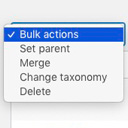
Allows you to merge terms, move terms between taxonomies, and set term parents, individually or in bulk.

By WPFactory
Manage payment gateways in WooCommerce. Beautifully.

By QuantumCloud
AI Infographic maker with charts and graphs. Make Listicles, HTML infographics quickly with OpenAI ChatGPT.

By Nazmul Sabuz
Upload files into WordPress media library from front-end with drag-and-drop functionality and customizable options.
CHOOSE WHAT YOUR WEBSITE NEEDS
Start with the task you need to solve. Compare features, WordPress and PHP requirements, update history and the author’s documentation. Test changes on a private copy and avoid adding several plugins for the same job.
This independent directory displays plugin information on WebFulHost and links to the official source. Packages are not mirrored or installed here. A plugin can include paid extensions or services with separate terms from its author.


