

Checkout Field Manager (Checkout Manager) for WooCommerce is the most advanced plugin to customize checkout fields on your WooCommerce checkout page.
★ 4.5/5 (784)80,000+ active installations
- Version
- 7.9.9
- WordPress
- 4.7+
- PHP
- 5.6+
- Updated
- 26 Oct 2026
WORDPRESS RESOURCES
Explore public plugin information from the official WordPress.org directory. Compare what a plugin does, its requirements and update history before adding it to your website.
Explore WordPress hosting →9,561 matching plugins reported by WordPress.org · Page 50 of 50
Source: WordPress.org
Data refreshed 24 Nov 2026 03:06 UTC
Checkout Field Manager (Checkout Manager) for WooCommerce is the most advanced plugin to customize checkout fields on your WooCommerce checkout page.

By agenticdaisy
A modern calendar plugin with recurring events, iCal import/export, holiday imports, Gutenberg blocks, and access control.

By Arni Cinco
WPCargo is a track & trace system for courier, courier script, parcel, balikbayan system, shipment and transportation management system, ideal sol …
Floating Social Media Icons, Sticky Share Buttons, Facebook Feeds, & Popup builder. Also, create Call, Email, SMS, & Contact buttons to increa …
By Pektsekye
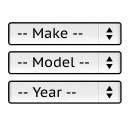
It will find products for selected make and model.

By techygeekshome
Admin utility to gather internal post/page URLs with filters, sorting, pagination, and CSV export.

By Themefic
50+ Essential Addons for Contact Form 7 - Conditional Fields, Multi Step, Redirection, Columns, WooCommerce, Mailchimp & more

By YeKen
Create a library of custom shortcodes and reusable content, and seamlessly insert them into your posts and pages.

By wecantrack
Cloak, organise and track affiliate links in WordPress, with server-side click tracking and conversion data across 450+ networks.

Registration forms, a frontend login form, user profiles and a member directory for WordPress. Add Stripe payments and content restriction.

By PixelYourSite
Add Meta Pixel with Conversion API, Google Analytics (GA4) + Consent Mode, Google Tag Manager, OpenAI Pixel & API, and Head & Footer scripts.

By Andrew Lima
Show a users last login date by creating a sortable column in your WordPress users list.
CHOOSE WHAT YOUR WEBSITE NEEDS
Start with the task you need to solve. Compare features, WordPress and PHP requirements, update history and the author’s documentation. Test changes on a private copy and avoid adding several plugins for the same job.
This independent directory displays plugin information on WebFulHost and links to the official source. Packages are not mirrored or installed here. A plugin can include paid extensions or services with separate terms from its author.
