

Customizer Reset – Export & Import
By David Vongries
Reset, export and import your WordPress Customizer settings with one click. Works with any theme.
★ 5.0/5 (8)900+ active installations
- Version
- 2.0
- WordPress
- 4.7+
- PHP
- 5.6+
- Updated
- 9 Nov 2026
WORDPRESS RESOURCES
Explore public plugin information from the official WordPress.org directory. Compare what a plugin does, its requirements and update history before adding it to your website.
Explore WordPress hosting →2,378 matching plugins reported by WordPress.org · Page 50 of 50
Source: WordPress.org
Data refreshed 25 Nov 2026 12:55 UTC
By David Vongries
Reset, export and import your WordPress Customizer settings with one click. Works with any theme.

By Lukman Hussain Nakib
Read, search, and clear WordPress debug logs from wp-admin. Toggle WP_DEBUG and inspect errors without FTP.

By WordPress.org
A WordPress plugin to create block themes.

By Plausible Insights OÜ
Simple, lightweight, privacy-friendly Google Analytics alternative for WordPress with a clean dashboard.

Powered Cache is the most powerful caching and performance suite for WordPress. Easily Improve PageSpeed & Web Vitals Score.
Add like buttons to posts, comments and WooCommerce products, then see what your readers love in a built-in stats dashboard. Free, no vote limits.

By A WP Life
Create photo gallery and video gallery in seconds. Display images and videos in a clean grid with lightbox options. Supports block and Elementor
By Jelle Roorda
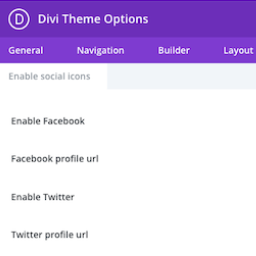
This plugin adds the ability to add more social icons to your website when using the Divi theme.

By JC
Text Case Converter is an open source WordPress plugin using which you can change your page or post text into uppercase or lowercase or capitalize or …
FundEngine - FundEngine is a fundraising and crowdfunding plugin with PayPal, Stripe, and WooCommerce payment support.

By CoderPress
Coinbase Business is the best gateway to accept USDC on the Base network for your WooCommerce webstore.

By BlueGlass Interactive AG
WordPress plugin that make it easy to add job postings to your company’s website in a structured way.
CHOOSE WHAT YOUR WEBSITE NEEDS
Start with the task you need to solve. Compare features, WordPress and PHP requirements, update history and the author’s documentation. Test changes on a private copy and avoid adding several plugins for the same job.
This independent directory displays plugin information on WebFulHost and links to the official source. Packages are not mirrored or installed here. A plugin can include paid extensions or services with separate terms from its author.

