Offer more payment methods and currencies with Checkout.com — best-in-class processing for cards and alternative payment methods.
★ 5.0/5 (3)200+ active installations
- Version
- 5.1.8
- WordPress
- 6.0+
- PHP
- 7.4+
- Updated
- 24 Nov 2026
View plugin details ↗
By Konceptwise Digital Media Pvt Ltd
Add OTP verification (Email & Phone) to Contact Form 7. Reduce spam, verify users via SMS, WhatsApp, Email, or Voice, and get WhatsApp alerts.
★ 5.0/5 (1)50+ active installations
- Version
- 1.0.35
- WordPress
- 5.5+
- PHP
- 7.4+
- Updated
- 17 Nov 2026
View plugin details ↗Paysera payments + delivery
★ 2.9/5 (16)7,000+ active installations
- Version
- 3.13.0
- WordPress
- 4.0+
- PHP
- 7.4+
- Updated
- 29 Oct 2026
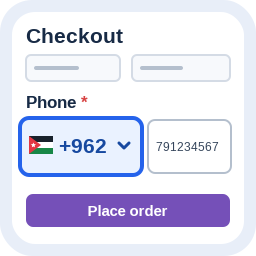
View plugin details ↗Search country calling codes, keep international numbers intact, and safely normalize Classic Checkout phone input.
0+ active installations
- Version
- 1.8.7
- WordPress
- 6.7+
- PHP
- 8.1+
- Updated
- 28 Oct 2026
View plugin details ↗Validates and formats billing and shipping phone numbers at WooCommerce checkout with libphonenumber. Does not send SMS or one-time codes.
10+ active installations
- Version
- 2.2.0
- WordPress
- 7.1+
- PHP
- 8.3+
- Updated
- 17 Nov 2026
View plugin details ↗Live chat software with real-time visitor monitoring and chatbots! Live chat with your visitors for free or use a chatbot to automate self-help.
★ 4.8/5 (116)2,000+ active installations
- Version
- 1.4
- WordPress
- 2.7+
- Updated
- 17 Aug 2026
View plugin details ↗Extend Divi Contact Form module with file upload field, country code dropdown, and save Divi form submissions in the database.
★ 1.0/5 (1)600+ active installations
- Version
- 1.1.5
- WordPress
- 5.0+
- PHP
- 7.2+
- Updated
- 1 Sep 2026
View plugin details ↗Send SMS notifications, OTP login and 2FA codes, and WooCommerce order SMS from WordPress through 260+ SMS gateways.
★ 4.1/5 (107)7,000+ active installations
- Version
- 7.2.15
- WordPress
- 4.1+
- PHP
- 7.4+
- Updated
- 20 Nov 2026
View plugin details ↗The International Phone Number Format plugin allows you to effortlessly format and validate international phone numbers within WooCommerce and WordPre …
★ 5.0/5 (2)300+ active installations
- Version
- 1.0.0
- WordPress
- 6.0+
- PHP
- 8.0+
- Updated
- 25 Nov 2023
View plugin details ↗Add 27 custom field types (20 FREE) to WooCommerce products with nested conditional logic, per-option quantity pricing and display rules.
★ 4.1/5 (9)600+ active installations
- Version
- 4.4.9.4
- WordPress
- 6.1+
- PHP
- 7.4+
- Updated
- 19 Oct 2026
View plugin details ↗Free drag and drop form builder for contact forms, surveys and multi-step forms, with conditional logic, file uploads, entries and spam protection.
20+ active installations
- Version
- 2.2.0
- WordPress
- 6.2+
- PHP
- 8.0+
- Updated
- 31 Oct 2026
View plugin details ↗Get clients to quickly book a meeting with you by Zoom, GoogleMeet, phone or at your office
★ 4.7/5 (50)1,000+ active installations
- Version
- 2.7.7
- WordPress
- 5.5+
- PHP
- 7.4+
- Updated
- 24 May 2026
View plugin details ↗