Adds Matomo (former Piwik) statistics to your WordPress dashboard and is also able to add the Matomo Tracking Code to your blog.
★ 4.5/5 (95)60,000+ active installations
- Version
- 1.1.12
- WordPress
- 5.0+
- Updated
- 15 Sep 2026
View plugin details ↗The go-to tool for cloning posts and pages, including the powerful Rewrite & Republish feature.
★ 4.7/5 (538)3,000,000+ active installations
- Version
- 4.7
- WordPress
- 7.0+
- PHP
- 7.4+
- Updated
- 6 Oct 2026
View plugin details ↗Adds a shortcode to restrict content from anonymous users.
★ 5.0/5 (3)70+ active installations
- Version
- 1.3
- WordPress
- 5.9+
- PHP
- 7.4+
- Updated
- 2 Nov 2026
View plugin details ↗Force Login is a simple lightweight plugin that requires visitors to log in to interact with the website.
★ 4.8/5 (101)30,000+ active installations
- Version
- 5.6.3
- WordPress
- 4.6+
- Updated
- 19 Jun 2026
View plugin details ↗Restrict content based on login status, user roles, device type & more. Monetize your content with a paywall or members-only content.
★ 4.9/5 (576)40,000+ active installations
- Version
- 2.7.4
- WordPress
- 6.2+
- PHP
- 7.4+
- Updated
- 29 Sep 2026
View plugin details ↗Attach files to any post or page and let WP Attachments list them for you, with icons, file sizes and a download counter.
★ 4.5/5 (43)3,000+ active installations
- Version
- 6.1
- WordPress
- 5.0+
- PHP
- 7.4+
- Updated
- 5 Oct 2026
View plugin details ↗
By Alain-Aymerick FRANCOIS
The plugin provides CAS authentication and attribute-based authorization for WordPress.
★ 5.0/5 (16)800+ active installations
- Version
- 2.6.1
- WordPress
- 4.8+
- PHP
- 7.0+
- Updated
- 19 Nov 2026
View plugin details ↗Smart WordPress security that blocks bots automatically, guides you to what matters, and repairs problems — without drowning you in noise.
★ 4.8/5 (1,039)30,000+ active installations
- Version
- 22.3.4
- WordPress
- 5.7+
- PHP
- 7.4+
- Updated
- 27 Oct 2026
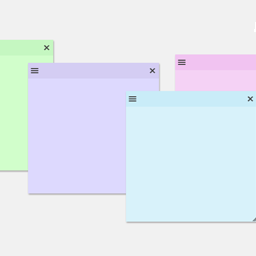
View plugin details ↗Create sticky notes in your WP admin for reminders and to-dos. Restrict notes by user roles and disable them on specific pages.
★ 5.0/5 (7)1,000+ active installations
- Version
- 1.2.7
- WordPress
- 3.6.0+
- PHP
- 5.6+
- Updated
- 4 Sep 2026
View plugin details ↗Want to boost sales & marketing efforts? Use your favorite forms & builder. Unlimited popups & impressions, keep your data, no monthly subscription.
★ 4.9/5 (4,518)600,000+ active installations
- Version
- 1.25.0
- WordPress
- 6.7+
- PHP
- 7.4+
- Updated
- 11 Sep 2026
View plugin details ↗Simple & easy plugin to add social media sharing icons, buttons like Facebook, Twitter, WhatsApp, Instagram & more
★ 4.5/5 (129)9,000+ active installations
- Version
- 8.0
- WordPress
- 5.0+
- PHP
- 5.3+
- Updated
- 24 Sep 2026
View plugin details ↗WPS Bidouille provides information about your WordPress and contains optimization tools.
★ 4.9/5 (54)9,000+ active installations
- Version
- 1.33.5
- WordPress
- 4.2+
- Updated
- 13 Aug 2026
View plugin details ↗