Elementor addon: 120+ widgets & templates — Elementor Gallery, Mega Menu, Slider, Form, Post Grid, Accordion, Header Footer Builder & WooCommerce.
★ 4.9/5 (4,133)1,000,000+ active installations
- Version
- 6.8.9
- WordPress
- 5.3+
- PHP
- 7.0+
- Updated
- 15 Nov 2026
View plugin details ↗Variation Swatches for WooCommerce change beautiful colors, images and buttons variation swatches for WooCommerce product attributes.
★ 4.7/5 (55)9,000+ active installations
- Version
- 2.5.3
- WordPress
- 6.0+
- PHP
- 7.4+
- Updated
- 15 Oct 2026
View plugin details ↗This plug-in is an integrated plug-in with a variety of features that make it powerful your web site.
★ 4.0/5 (7)100,000+ active installations
- Version
- 9.125.0
- WordPress
- 6.5+
- PHP
- 7.4+
- Updated
- 17 Nov 2026
View plugin details ↗A quick and easy way to create Popup layers inside the Divi Visual Builder!
★ 4.8/5 (442)100,000+ active installations
- Version
- 3.2.9
- WordPress
- 4.0.0+
- PHP
- 7.0+
- Updated
- 28 Oct 2026
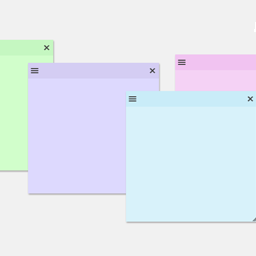
View plugin details ↗Create sticky notes in your WP admin for reminders and to-dos. Restrict notes by user roles and disable them on specific pages.
★ 5.0/5 (7)1,000+ active installations
- Version
- 1.2.7
- WordPress
- 3.6.0+
- PHP
- 5.6+
- Updated
- 4 Sep 2026
View plugin details ↗Seven free modules for Elementor: dark mode, container layouts, mobile menu, editorial text, style presets, JSON editor — all modular, all free.
★ 4.6/5 (117)100,000+ active installations
- Version
- 4.3.15
- WordPress
- 6.0+
- PHP
- 8.0+
- Updated
- 24 Nov 2026
View plugin details ↗Shows a list of recent posts from a category - with thumbnails, excerpt and a load more button. For posts, pages and the Site Editor.
★ 4.5/5 (79)40,000+ active installations
- Version
- 5.2.0
- WordPress
- 6.6+
- PHP
- 7.2+
- Updated
- 10 Nov 2026
View plugin details ↗Upload an author image right from your profile page with the click of a button.
★ 5.0/5 (2)1,000+ active installations
- Version
- 1.5.1
- WordPress
- 6.8+
- PHP
- 7.4+
- Updated
- 31 May 2026
View plugin details ↗Add unlimited WooCommerce Product FAQ tabs & accordions with rich HTML, Gutenberg blocks, Google FAQPage schema, and spec-aware AI generation.
★ 4.8/5 (4)60+ active installations
- Version
- 1.7.0
- WordPress
- 5.0+
- PHP
- 7.3+
- Updated
- 24 Nov 2026
View plugin details ↗Documentation, FAQ & Knowledge Base plugin to create docs, FAQs, product FAQ, wikis & help center with MCP, AI writing, instant answers & AI Chatbot.
★ 4.8/5 (517)30,000+ active installations
- Version
- 4.9.7
- WordPress
- 6.4+
- PHP
- 7.4+
- Updated
- 17 Nov 2026
View plugin details ↗Automatically redirect 404 errors to the right page using a 7-engine matching pipeline and spell-checking algorithm. Zero configuration required.
★ 4.9/5 (45)10,000+ active installations
- Version
- 4.4.2
- WordPress
- 5.0+
- PHP
- 7.4+
- Updated
- 19 Nov 2026
View plugin details ↗All-in-one enhancement suite that improves WordPress & Advanced Custom Fields.
★ 4.8/5 (132)100,000+ active installations
- Version
- 0.9.2.8
- WordPress
- 4.9+
- PHP
- 5.6+
- Updated
- 19 Oct 2026
View plugin details ↗