

AI ChatBot for Support, Leads and Sales, with AI SEO, AI Writer, Email Marketing, Social Media Scheduling and Heatmaps to GROW your Website & Business
★ 4.7/5 (125)5,000+ active installations
- Version
- 9.4.1
- WordPress
- 6.2+
- PHP
- 7.4+
- Updated
- 27 Nov 2026
WORDPRESS RESOURCES
Explore public plugin information from the official WordPress.org directory. Compare what a plugin does, its requirements and update history before adding it to your website.
Explore WordPress hosting →503 matching plugins reported by WordPress.org · Page 6 of 42
Source: WordPress.org
Data refreshed 28 Nov 2026 20:59 UTC
AI ChatBot for Support, Leads and Sales, with AI SEO, AI Writer, Email Marketing, Social Media Scheduling and Heatmaps to GROW your Website & Business

By edigital2026
Free accessibility widget + statement for WordPress. Amendment 13 & WCAG 2.1 AA. | תוסף נגישות והצהרת נגישות בחינם
By Edel Hearts / Yabe
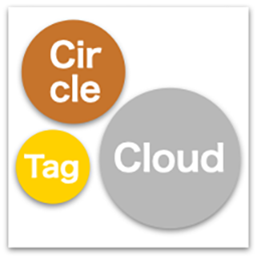
Displays taxonomy terms in a beautiful, highly packed circle (or rectangle) layout with customizable color palettes and motion effects.

By Guru Plugins
A customizable floating WooCommerce cart icon with event-driven AJAX quantity updates and live appearance previews.
Turn product photos of any shape into matching square thumbnails, whole and centered on a background you choose, for an even WooCommerce grid.
Display your Google Calendar events on your site in six views. Theme-aware, accessible, mobile-ready, no duplicate entry.

By Arthur Smith
Free and complete. The EU harmonised guarantee notice in 24 languages, required from 27 September 2026, plus the GARAN durability label.

By dimasappsplus
Create dynamic QR codes and QR code redirects in WordPress. Change destinations anytime, download PNG files, and track total scans.

By NHS College of Leadership and Management Digital Team
NHS styled blocks for WordPress as developed by the NHS Leadership Academy based on the NHS Digital Front-end library.

By Norse Digital Group LLC
Text to speech for WordPress with natural ElevenLabs AI voices, an accessible audio player, and 10,000 free credits to start.

By App Holdings
Before after slider block. Visitors drag the handle to compare two photos. A light, accessible image comparison slider.

By Michael Nelson
Make printing your blog easy and impressive. For you & your visitors. One post or thousands.
CHOOSE WHAT YOUR WEBSITE NEEDS
Start with the task you need to solve. Compare features, WordPress and PHP requirements, update history and the author’s documentation. Test changes on a private copy and avoid adding several plugins for the same job.
This independent directory displays plugin information on WebFulHost and links to the official source. Packages are not mirrored or installed here. A plugin can include paid extensions or services with separate terms from its author.

