

WP Extended Search
By Sumit Singh
Extend search functionality to search in selected post meta, taxonomies, post types, and all authors.
★ 4.9/5 (72)20,000+ active installations
- Version
- 2.2.1
- WordPress
- 4.9+
- PHP
- 7.0+
- Updated
- 7 Dec 2025
WORDPRESS RESOURCES
Explore public plugin information from the official WordPress.org directory. Compare what a plugin does, its requirements and update history before adding it to your website.
Explore WordPress hosting →10,000 matching plugins reported by WordPress.org · Page 6 of 50
Source: WordPress.org
Data refreshed 19 Nov 2026 16:00 UTC
By Sumit Singh
Extend search functionality to search in selected post meta, taxonomies, post types, and all authors.

By CodeManas
Lightning fast search for your WordPress site, powered by Typesense.
Manage PHP & JS snippets the clean way, then turn any function into an AI tool, a workflow step, or a REST endpoint. Write once, use everywhere. 🤟

By Narinder Singh
Event search and filter bar for The Events Calendar. Add an event search box, date filters and filtered event lists anywhere with a shortcode.

By CreativeMindsSolutions
Search and replace words, phrases, and HTML within your website posts and pages.

By WPClever
WPC AJAX Search is an interaction search popup for WooCommerce.
By Pektsekye
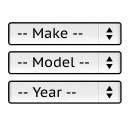
It will find products for selected make and model.
Advanced WooCommerce product search and filter plugin. Customizable search bar, live search suggestions and auto-generated filters for search results.

By XplodedThemes
Manage WordPress files, edit code and add PHP, CSS, JavaScript and HTML snippets from your dashboard.

By David Anderson / Team Updraft
Protect your WordPress site with All-In-One Security (AIOS): easy-to-use login security, a powerful firewall, and much more.
AI SEO plugin for WordPress SEO: AI SEO tools, Google Search Console, meta descriptions, schema & XML sitemaps. Focus keywords+MCP for Claude/ChatGPT.

By wpo-HR
NGG Smart Image Search provides smart search and display functionalities for images in NextGEN galleries. It requires NextGEN Gallery to be installed …
CHOOSE WHAT YOUR WEBSITE NEEDS
Start with the task you need to solve. Compare features, WordPress and PHP requirements, update history and the author’s documentation. Test changes on a private copy and avoid adding several plugins for the same job.
This independent directory displays plugin information on WebFulHost and links to the official source. Packages are not mirrored or installed here. A plugin can include paid extensions or services with separate terms from its author.


