

WP Super Cache
By Automattic
A very fast caching engine for WordPress that produces static html files.
★ 4.3/5 (1,346)1,000,000+ active installations
- Version
- 3.1.5
- WordPress
- 6.8+
- PHP
- 7.4+
- Updated
- 2 Nov 2026
WORDPRESS RESOURCES
Explore public plugin information from the official WordPress.org directory. Compare what a plugin does, its requirements and update history before adding it to your website.
Explore WordPress hosting →10,000 matching plugins reported by WordPress.org · Page 6 of 50
Source: WordPress.org
Data refreshed 22 Nov 2026 18:00 UTC
By Automattic
A very fast caching engine for WordPress that produces static html files.

By Mustafa Kamal hossain
Cross-domain copy and paste for Elementor. Copy elements between sites with smart media import and 1-click page duplicator.
Formerly "Custom Facebook Feed". Display completely customizable Facebook feeds of a Facebook page. Supports Facebook oEmbeds.
By The AV Coach
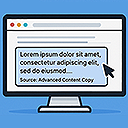
Modifies copied content with customizable text, link, and snippet options when pasted elsewhere.
Organize your pages, posts, and custom post types into folders. Upgrade to pro for media library folders, WooCommerce integration, and more.
Secure WordPress MCP server: we never see your data. Connect Claude, ChatGPT & AI agents to WordPress. 280+ tools for WooCommerce, SEO & GA4. Free.

By George Pattichis
Easily clone (duplicate) Posts, Pages and Custom Post Types, including their custom fields (post_meta)

By doc4
We have expanded on the original plugin to include WordPress' get_the_content tag in order to limit post copy with stripped html tags.

By Trustindex
Facebook Feed Widgets. Display your Facebook feed on your website to increase engagement, sales and SEO.

By Galaxy Weblinks
Cloning posts, pages and custom post types in WordPress.

By Arul Prasad J
Copy or Duplicate any post types, including pages, taxonomies & custom fields with a single click.

By Jose Varghese
Adds a copy link icon to headings for easy copying anchor links, that helps to bookmarking, sharing, and navigation within the content.
CHOOSE WHAT YOUR WEBSITE NEEDS
Start with the task you need to solve. Compare features, WordPress and PHP requirements, update history and the author’s documentation. Test changes on a private copy and avoid adding several plugins for the same job.
This independent directory displays plugin information on WebFulHost and links to the official source. Packages are not mirrored or installed here. A plugin can include paid extensions or services with separate terms from its author.


