

Floating Social Media Icons, Sticky Share Buttons, Facebook Feeds, & Popup builder. Also, create Call, Email, SMS, & Contact buttons to increa …
★ 4.8/5 (396)40,000+ active installations
- Version
- 7.0.2
- WordPress
- 4.7+
- PHP
- 7.0+
- Updated
- 13 Aug 2026
WORDPRESS RESOURCES
Explore public plugin information from the official WordPress.org directory. Compare what a plugin does, its requirements and update history before adding it to your website.
Explore WordPress hosting →10,000 matching plugins reported by WordPress.org · Page 6 of 50
Source: WordPress.org
Data refreshed 19 Nov 2026 10:55 UTC
Floating Social Media Icons, Sticky Share Buttons, Facebook Feeds, & Popup builder. Also, create Call, Email, SMS, & Contact buttons to increa …

By Creame
The most installed WordPress plugin for WhatsApp: a customizable floating button that turns your visitors into chats, leads and sales.
20+ Gutenberg Blocks with endless options, enabling top-notch efficiency for high-performance dynamic website creation.

By BoldGrid
Search Engine (SEO) & Performance Optimization (WPO) via caching. Integrated caching: CDN, Page, Minify, Object, Fragment, Database support.
Your content is worth sharing. Let's makes it easier!
By safelayout
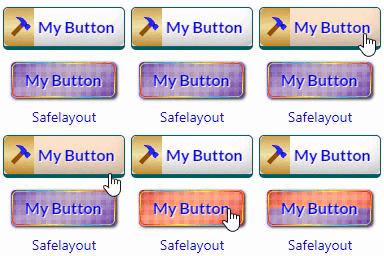
Beautiful CSS buttons in Gutenberg, Elementor & Classic Editor. Call to Action buttons with inline SVGs, click animations, after-click loading.

By Atakan Au
Compact Simple Speedy chat button. It allows visitors to contact you via WhatsApp. Lightweight and fast loading for best SEO.

By Suplugins
CTA Buttons that reveal text on click. Made for affiliate & PPC websites. Reveal voucher & bonus codes. Responsive & SEO Optimized

By Dear
Add ◄ and ► button anywhere in website matching theme color and style. Check the Live Preview first, then Install.
Add Patreon buttons to your content and sidebars. Upgrade to Patron Plugin Pro for patron-only posts and powerful features.

By WPClever
WPC Variations Radio Buttons will replace dropdown select with radio buttons for the buyer easier in selecting the variations.

By Christoph Nagel
Integrates a floating contact button and opens an modal contact form.
CHOOSE WHAT YOUR WEBSITE NEEDS
Start with the task you need to solve. Compare features, WordPress and PHP requirements, update history and the author’s documentation. Test changes on a private copy and avoid adding several plugins for the same job.
This independent directory displays plugin information on WebFulHost and links to the official source. Packages are not mirrored or installed here. A plugin can include paid extensions or services with separate terms from its author.


