Easily inject Critical CSS and Secondary CSS (with unused CSS styles removed) to improve site speed and performance.
★ 1.0/5 (1)80+ active installations
- Version
- 1.4.10
- WordPress
- 6.2+
- PHP
- 7.4+
- Updated
- 12 Oct 2026
View plugin details ↗Sticky Menu or Sticky Header sticks elements at the top of the screen when you scroll, or create a floating sticky menu or fixed widget.
★ 4.7/5 (763)90,000+ active installations
- Version
- 2.36
- WordPress
- 3.6+
- PHP
- 5.2+
- Updated
- 16 Aug 2026
View plugin details ↗AJAX login, registration and password reset in a popup or on a page. Gutenberg blocks, skins, redirects and a setup guide.
★ 4.7/5 (120)3,000+ active installations
- Version
- 2.29
- WordPress
- 4.9+
- PHP
- 7.4+
- Updated
- 7 Nov 2026
View plugin details ↗Availability datepicker & booking calendar for any form. Configure business hours, time slots, date overrides and a booking window.
★ 4.1/5 (42)10,000+ active installations
- Version
- 3.0
- WordPress
- 6.0+
- PHP
- 7.4+
- Updated
- 27 Feb 2026
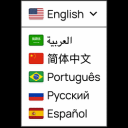
View plugin details ↗Translate your WordPress site with a polished Google Translate language switcher for instant visitor translation.
★ 4.4/5 (11)3,000+ active installations
- Version
- 2.3.0
- WordPress
- 6.5+
- PHP
- 7.4+
- Updated
- 7 Oct 2026
View plugin details ↗Fast WooCommerce AJAX mini-cart modal with side drawer, floating button, & instant updates. Free edition; Pro adds full customization.
★ 3.5/5 (11)2,000+ active installations
- Version
- 2.0.1
- WordPress
- 5.8+
- PHP
- 7.4+
- Updated
- 21 Sep 2026
View plugin details ↗
By wpLingua Translation Service
Translate and make your websites multilingual : no word limits, SEO-friendly, automatic translator, AI translation API and editable translations
★ 4.9/5 (33)1,000+ active installations
- Version
- 3.3.1
- WordPress
- 6.0+
- PHP
- 7.4+
- Updated
- 18 Nov 2026
View plugin details ↗Lightweight plugin for adding Custom CSS to your WordPress site.
★ 5.0/5 (1)10+ active installations
- Version
- 1.1
- WordPress
- 3.0.1+
- Updated
- 27 Oct 2026
View plugin details ↗Create links that scroll the page smoothly to any id within the document.
★ 4.9/5 (225)100,000+ active installations
- Version
- 1.7.9
- WordPress
- 3.3+
- Updated
- 9 Jun 2026
View plugin details ↗Multilingual plugin for WordPress. Go Multilingual in minutes with full WordPress support. Translate your site easily with this localization plugin.
★ 4.3/5 (100)10,000+ active installations
- Version
- 2.4.35
- WordPress
- 4.7+
- PHP
- 5.6.20+
- Updated
- 7 Nov 2026
View plugin details ↗Easily create custom blocks and custom meta fields for Gutenberg without hard coding.
★ 4.9/5 (80)20,000+ active installations
- Version
- 4.5.2
- WordPress
- 6.2+
- PHP
- 8.3+
- Updated
- 17 Nov 2026
View plugin details ↗Theme Editor allows you to edit theme files, create folder, upload files and remove any file and folder in themes and plugins.
★ 4.6/5 (128)50,000+ active installations
- Version
- 3.2
- WordPress
- 3.4+
- PHP
- 5.2.4+
- Updated
- 19 Mar 2026
View plugin details ↗