

Add a WhatsApp chat button, WooCommerce WhatsApp order button & click-to-chat floating widget. Capture leads & convert visitors via chat.
★ 4.4/5 (9)2,000+ active installations
- Version
- 3.7.5
- WordPress
- 5.7+
- PHP
- 7.0+
- Updated
- 20 Nov 2026
WORDPRESS RESOURCES
Explore public plugin information from the official WordPress.org directory. Compare what a plugin does, its requirements and update history before adding it to your website.
Explore WordPress hosting →186 matching plugins reported by WordPress.org · Page 6 of 16
Source: WordPress.org
Data refreshed 23 Nov 2026 17:28 UTC
Add a WhatsApp chat button, WooCommerce WhatsApp order button & click-to-chat floating widget. Capture leads & convert visitors via chat.
By Anders Lundkvist
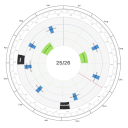
A circular year planner to visualize fiscal years and events.

By Sanjay Shankar
A customizable WordPress preloader plugin that enhances user experience with beautiful loading animations while your site content loads.

The Best AI Blog Writer for Automatically Generating SEO-Friendly Blog Articles on a Schedule
Complete drag & drop page builder for landing pages, dynamic templates & custom designs. Clean code output. SEO-friendly. No coding required.

By Noruzzaman
Logo Carousel, Image Slider & Testimonial blocks for Gutenberg. 5 transition effects, responsive design & full customization!
Free accessibility toolbar: text size, contrast, dyslexia & low-vision profiles. No cookies, no external service, no subscription.
Responsive sliders from images, posts, WooCommerce, videos or blocks — or start from 100+ ready-made templates. Block editor & shortcode.

By Dennis Buchwald
Infinity logo carousel and text marquee for client, partner or sponsor logos.
Connect ChatGPT, Claude, or another AI agent to your site. Plus backup, malware scan, firewall, stats, CDN, and SEO tools in one plugin.

By Kadim Gültekin
Login, Registration and Lost Password Blocks plugin provides blocks helps you to add login, register, lost password forms from front end.
A productivity desktop and custom dashboard for wp-admin: windows, dark mode, dashboard notes, an AI assistant, and a progressive web app (PWA).
CHOOSE WHAT YOUR WEBSITE NEEDS
Start with the task you need to solve. Compare features, WordPress and PHP requirements, update history and the author’s documentation. Test changes on a private copy and avoid adding several plugins for the same job.
This independent directory displays plugin information on WebFulHost and links to the official source. Packages are not mirrored or installed here. A plugin can include paid extensions or services with separate terms from its author.




