

Manage WordPress from Claude or ChatGPT with a free MCP server: posts, WooCommerce, SEO and Elementor. AI chatbot and content writer included.
★ 4.6/5 (167)10,000+ active installations
- Version
- 2.5.31
- WordPress
- 6.0+
- PHP
- 7.4+
- Updated
- 21 Nov 2026
WORDPRESS RESOURCES
Explore public plugin information from the official WordPress.org directory. Compare what a plugin does, its requirements and update history before adding it to your website.
Explore WordPress hosting →3,412 matching plugins reported by WordPress.org · Page 6 of 50
Source: WordPress.org
Data refreshed 21 Nov 2026 11:02 UTC
Manage WordPress from Claude or ChatGPT with a free MCP server: posts, WooCommerce, SEO and Elementor. AI chatbot and content writer included.

By Kevin Pirnie
Automatically purge every server-side cache on your WordPress site — plugins, hosting environments, PHP, memory stores, and CDNs — all from one place.

By Cool Plugins
Add a country code dropdown with flags to Elementor form phone field for valid international numbers. Also works with Hello Plus form widget.

By Cool Plugins
Connect Elementor forms with Google Sheets to sync form entries, or save form submissions in any post type using Elementor Pro or Hello Plus forms.
Build a modern online community in WordPress: spaces, social feeds, discussion forum, events, polls, member profiles, chat and support tickets.

By Kostya Tereshchuk
Prevents browser cache problems: visitors always get the current version of your CSS, JS, images and pages, while caching keeps working.

By Narinder Singh
Event countdown timer for The Events Calendar. Show a countdown to upcoming events with a shortcode, block, Elementor widget or sticky floating bar.
By Cool Plugins
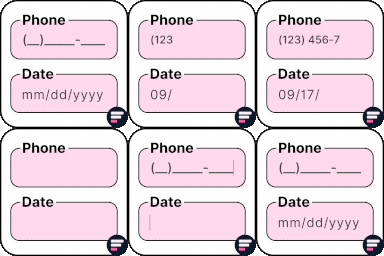
Add input masks to Elementor Pro or Hello Plus form fields - phone, date, time, credit card, CPF, CNPJ, CEP & more for accurate entries.
Protect your WordPress with SecuPress, analyze and ensure the safety of your website daily.

By PI Web Solution
Free shipping bar will show a notification bar/popup on your website with a free shipping progress bar that will inform users how much they should buy …

By Jason Bahl
WPGraphQL for ACF seamlessly integrates Advanced Custom Fields with WPGraphQL.

By AAM Plugin
Add-on to the free Advanced Access Manager plugin that protects media files from direct access for visitors, roles or users
CHOOSE WHAT YOUR WEBSITE NEEDS
Start with the task you need to solve. Compare features, WordPress and PHP requirements, update history and the author’s documentation. Test changes on a private copy and avoid adding several plugins for the same job.
This independent directory displays plugin information on WebFulHost and links to the official source. Packages are not mirrored or installed here. A plugin can include paid extensions or services with separate terms from its author.

