

Post and Page Builder is a standalone plugin which adds functionality to the existing TinyMCE Editor.
★ 4.7/5 (140)50,000+ active installations
- Version
- 1.27.15
- WordPress
- 4.7+
- PHP
- 7.4+
- Updated
- 25 Sep 2026
WORDPRESS RESOURCES
Explore public plugin information from the official WordPress.org directory. Compare what a plugin does, its requirements and update history before adding it to your website.
Explore WordPress hosting →10,000 matching plugins reported by WordPress.org · Page 6 of 50
Source: WordPress.org
Data refreshed 22 Nov 2026 02:28 UTC
Post and Page Builder is a standalone plugin which adds functionality to the existing TinyMCE Editor.

By Devin Walker
Roll back (or forward) any WordPress.org plugin, theme, or block like a boss.
By Jeroen Sormani
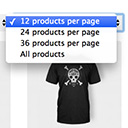
Products Per Page for WooCommerce is a easy-to-setup plugin that integrates a 'products per page' dropdown on your WooCommerce pages.

By greatestview
Redirects attachment pages to the post, where they are placed, and hides backend option to link images to attachment page (if not default).

By jody nesbitt
Speed up WordPress by disabling unused features — emojis, embeds, query strings, XML-RPC, RSS and more — for fewer requests and faster pages.

By Steve Truman
Places an icon, all time views count and views today count at the bottom of posts, pages and custom post types on any WordPress website.

By migrateguru
Effortlessly migrate, clone, or transfer your WordPress site to over 5,000 web hosts with Migrate Guru, trusted by Cloudways, Pantheon, and Dreamhost.

By PI Web Solution
Disable payment method for WooCommerce, Charge WooCommerce Payment processing fees, Take Partial payment for Order, Advance COD or Partial payment for …

By Hook & Filter
Nested Pages provides a drag and drop interface for managing pages & posts in the WordPress admin, while maintaining quick edit functionality.

By CleanTalk Inc
Advanced antispam for comments, registrations & contact forms. No CAPTCHA, plus email validation and honeypot. We catch spam others miss!

By click5
Best WordPress plugin to disable comments on your website and protect yourself from spammers.

By WPExplorer
Adds a new page at WPBakery Page Builder > Disable Elements so you can disable elements not in use.
CHOOSE WHAT YOUR WEBSITE NEEDS
Start with the task you need to solve. Compare features, WordPress and PHP requirements, update history and the author’s documentation. Test changes on a private copy and avoid adding several plugins for the same job.
This independent directory displays plugin information on WebFulHost and links to the official source. Packages are not mirrored or installed here. A plugin can include paid extensions or services with separate terms from its author.