

The drag and drop AI form builder for contact forms, multi-step forms, payment forms, quizzes, polls, surveys, calculators, and web apps.
★ 4.8/5 (1,392)300,000+ active installations
- Version
- 7.1.1
- WordPress
- 6.3+
- PHP
- 7.0+
- Updated
- 19 Nov 2026
WORDPRESS RESOURCES
Explore public plugin information from the official WordPress.org directory. Compare what a plugin does, its requirements and update history before adding it to your website.
Explore WordPress hosting →1,412 matching plugins reported by WordPress.org · Page 6 of 50
Source: WordPress.org
Data refreshed 22 Nov 2026 18:33 UTC
The drag and drop AI form builder for contact forms, multi-step forms, payment forms, quizzes, polls, surveys, calculators, and web apps.

By add-ons.org
The Repeater Fields for Contact Form 7 allow you to create one or more sets of fields that can be repeated.

By Softaculous
SiteSEO is an easy, fast and powerful SEO plugin for WordPress. Unlock your Website's potential and Maximize your online visibility with our SiteSEO!
By Cool Plugins
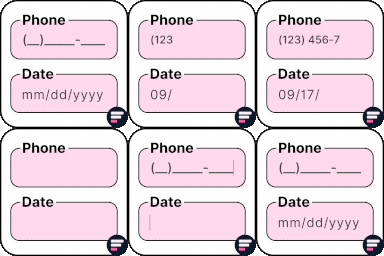
Add input masks to Elementor Pro or Hello Plus form fields - phone, date, time, credit card, CPF, CNPJ, CEP & more for accurate entries.

By Justin Nealey
57 native blocks + 18 universal extensions for the WordPress block editor. Forms, dynamic post lists, animations, layouts — no page builder needed.

🤩 Make popups & optin forms to get more email newsletter subscribers, leads, and sales - #1 most popular popup builder plugin! 🚀
Google Maps with unlimited markers, custom icons, marker categories, clustering and map themes. Gutenberg block, Elementor widget, no coding.

By themeignite
Add floating buttons for CTAs, social links, and more — fully customizable from your dashboard
Free email automation, email campaigns, exit intent popup builder, gamified popups with spin the wheel, contact forms & smart pop ups. 🎉
Bulk generate multiple Pages using dynamic content.

By Kybernetik Services
Let your website visitors get in touch with you easily with permanent visible contact information.

By Misbah WP
Mosaic Gallery is an advanced plugin for creating stunning, responsive mosaic-style galleries with ease, offering customizable layouts and effects.
CHOOSE WHAT YOUR WEBSITE NEEDS
Start with the task you need to solve. Compare features, WordPress and PHP requirements, update history and the author’s documentation. Test changes on a private copy and avoid adding several plugins for the same job.
This independent directory displays plugin information on WebFulHost and links to the official source. Packages are not mirrored or installed here. A plugin can include paid extensions or services with separate terms from its author.


