

Bangladeshi Payment Gateways for WooCommerce.
★ 5.0/5 (92)4,000+ active installations
- Version
- 4.1.0
- WordPress
- 4.4+
- PHP
- 7.0.0+
- Updated
- 8 Oct 2026
WORDPRESS RESOURCES
Explore public plugin information from the official WordPress.org directory. Compare what a plugin does, its requirements and update history before adding it to your website.
Explore WordPress hosting →2,800 matching plugins reported by WordPress.org · Page 6 of 50
Source: WordPress.org
Data refreshed 24 Nov 2026 22:54 UTC
Bangladeshi Payment Gateways for WooCommerce.

By Payment Plugins
Accept Credit Cards, PayPal, PayPal Credit, Google Pay, ApplePay, Venmo, and Local Payments like iDEAL all in one plugin for free!

🚀 Create Stripe payment forms for WordPress. Accept credit cards, Apple Pay, donations, subscriptions & more. Easy setup, no coding needed!

By Complianz
Publish your cookie banner or notice in minutes. Automatically scan cookies, and create policies to align with GDPR, CCPA, and Google Consent Mode.

By Webshop Pay
This plugin adds the Pay. Payment Methods to your WooCommerce installation.

By Tunbosun Ayinla
Paystack for Easy Digital Downloads allows your store to accept secure payments from multiple local and global payment channels.
By wizbee IT
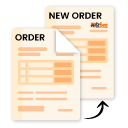
Easily duplicate WooCommerce orders with just one click. You can also set duplicated order status, fee, shipping, coupon etc option from setting.

Easily manage WooCommerce shipping & payment methods by cart, user roles, address & more. Enhance checkout with conditional shipping & payments.

Contact Form Builder for WordPress with payment forms, multistep forms, conversational forms, conditional logic, and integrations.
WooCommerce subscriptions made simple: flexible billing cycles, automated recurring payments and built-in Stripe and PayPal support.

By Scott Paterson
Add a PayPal Buy Now Button to your website and start selling with PayPal and Stripe today. No Coding Required. Official PayPal & Stripe Partner.

By Razorpay
Start accepting payments on WordPress via credit/debit cards, UPI, wallets and more in less than five minutes. One-time and recurring payments.
CHOOSE WHAT YOUR WEBSITE NEEDS
Start with the task you need to solve. Compare features, WordPress and PHP requirements, update history and the author’s documentation. Test changes on a private copy and avoid adding several plugins for the same job.
This independent directory displays plugin information on WebFulHost and links to the official source. Packages are not mirrored or installed here. A plugin can include paid extensions or services with separate terms from its author.
