

Clean unused shortcodes
By Amr Abdelkarem
Scan your site for orphaned shortcodes and remove them safely from post content and excerpts.
★ 4.4/5 (7)300+ active installations
- Version
- 2.1.0
- WordPress
- 5.8+
- PHP
- 7.4+
- Updated
- 15 Oct 2026
WORDPRESS RESOURCES
Explore public plugin information from the official WordPress.org directory. Compare what a plugin does, its requirements and update history before adding it to your website.
Explore WordPress hosting →4,476 matching plugins reported by WordPress.org · Page 6 of 50
Source: WordPress.org
Data refreshed 19 Nov 2026 19:59 UTC
By Amr Abdelkarem
Scan your site for orphaned shortcodes and remove them safely from post content and excerpts.

By Brainstorm Force
Build a full website with AI, then edit every block natively in Gutenberg. No new editor to learn, no lock-in.
Create responsive FAQs with accordion, tabs, and slider layouts. Includes FAQ Schema markup, Gutenberg blocks, and Elementor widgets.

By Ravi A. Vadhel
Remove Gutenberg Editor and get back to old version of editor. This provides Original Classic Editor and more.

By Andrew Ozz
Extends and enhances the block editor (Gutenberg) and the classic editor (TinyMCE).
WordPress block editor Toolkit: responsive controls, blocks, icons, animations, pattern library. Modular design, fast, no coding skills required.

By Johann Heyne
A Table Field Add-on for the Advanced Custom Fields and Secure Custom Fields Plugin.

By quadlayers
Formerly known as "Instagram Feed", this is the best plugin for displaying Instagram feeds on WordPress. It also supports Instagram reels.

By Kaya Studio
Generate QR codes using shortcodes, the Gutenberg block or widget, with no third-party services or dependencies.
Create responsive, accessible tabs in minutes. Unlimited tabs, templates, Gutenberg block, shortcode and widget. Pro adds dynamic and nested tabs.
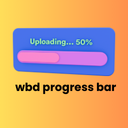
By wpbranddigital
A beautiful and lightweight progress bar block for the WordPress Gutenberg editor with smooth animations and full customization options.

By ShapedPlugin LLC
AI-Powered FAQ Generator. Gutenberg FAQ & Accordion Blocks, Image Accordion, Accordion Slider, WooCommerce Product FAQ – Elementor & Shortcode Ready.
CHOOSE WHAT YOUR WEBSITE NEEDS
Start with the task you need to solve. Compare features, WordPress and PHP requirements, update history and the author’s documentation. Test changes on a private copy and avoid adding several plugins for the same job.
This independent directory displays plugin information on WebFulHost and links to the official source. Packages are not mirrored or installed here. A plugin can include paid extensions or services with separate terms from its author.


