

Responsive sliders from images, posts, WooCommerce, videos or blocks — or start from 100+ ready-made templates. Block editor & shortcode.
★ 4.0/5 (11)5,000+ active installations
- Version
- 2.3.0
- WordPress
- 6.6+
- PHP
- 7.2+
- Updated
- 19 Nov 2026
WORDPRESS RESOURCES
Explore public plugin information from the official WordPress.org directory. Compare what a plugin does, its requirements and update history before adding it to your website.
Explore WordPress hosting →351 matching plugins reported by WordPress.org · Page 6 of 30
Source: WordPress.org
Data refreshed 20 Nov 2026 00:23 UTC
Responsive sliders from images, posts, WooCommerce, videos or blocks — or start from 100+ ready-made templates. Block editor & shortcode.
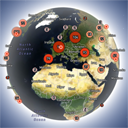
By vectormapper
Interactive 3D globe that shows your website visitors worldwide in real time and historically, with a fast lightweight Land Cover skin.
Build responsive sliders and carousels in the block editor - image, video, post, testimonial, logo and before-after slider blocks.
Maximize your WordPress site's potential with our versatile HTML5 Audio Player plugin. Seamlessly play .mp3, .wav, .ogg, and more audio files.
Easily embed a variety of content into your Elementor designs with versatile widgets. Supports video, audio, forms, Google Photos galleries, and more …

By WP Shopify Expert
Embed and interact with 3D models in your WordPress content using a block, shortcode, or custom post type.
Animate WordPress blocks with reveal, scroll, mouse and loop effects, set in the block settings.
Display the latest pins from any Pinterest board as a responsive photo gallery in WordPress. Lightweight Pinterest feed plugin with shortcode.

Embed secure, responsive iFrames in WordPress with Elementor or Gutenberg. Supports lazy loading, auto-height, and dynamic URLs. No coding required.
Add a custom email newsletter or subscription form to your WordPress site and connect it with Mailchimp to quickly grow your audience.
Extend Elementor with powerful, customizable media players for audio, video, streaming & playlists.
Build responsive FAQ sections with accordion themes, FAQ schema for SEO rich results, Gutenberg block and shortcode support – no coding needed.
CHOOSE WHAT YOUR WEBSITE NEEDS
Start with the task you need to solve. Compare features, WordPress and PHP requirements, update history and the author’s documentation. Test changes on a private copy and avoid adding several plugins for the same job.
This independent directory displays plugin information on WebFulHost and links to the official source. Packages are not mirrored or installed here. A plugin can include paid extensions or services with separate terms from its author.






