

Floating Social Media Icons, Sticky Share Buttons, Facebook Feeds, & Popup builder. Also, create Call, Email, SMS, & Contact buttons to increa …
★ 4.8/5 (396)40,000+ active installations
- Version
- 7.0.2
- WordPress
- 4.7+
- PHP
- 7.0+
- Updated
- 13 Aug 2026
WORDPRESS RESOURCES
Explore public plugin information from the official WordPress.org directory. Compare what a plugin does, its requirements and update history before adding it to your website.
Explore WordPress hosting →7,273 matching plugins reported by WordPress.org · Page 6 of 50
Source: WordPress.org
Data refreshed 24 Nov 2026 04:29 UTC
Floating Social Media Icons, Sticky Share Buttons, Facebook Feeds, & Popup builder. Also, create Call, Email, SMS, & Contact buttons to increa …
By safelayout
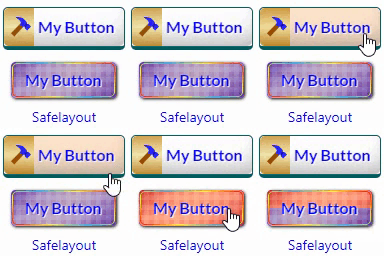
Beautiful CSS buttons in Gutenberg, Elementor & Classic Editor. Call to Action buttons with inline SVGs, click animations, after-click loading.
Powerful platform with Live Chat, AI Chatbots, and Real-Time Visitor Monitoring! Also, create Call, Email, SMS, & Contact buttons to increase conv …

By 320up
A plugin that aligns WooCommerce "Add to cart" buttons.
Create responsive photo, image and masonry galleries in WordPress with FooGallery, plus carousel, lightbox, albums, SEO and video gallery support.

By Nextendweb
Responsive slider plugin to create sliders in visual editor easily. Build beautiful image slider, layer slider, video slider, post slider, and more.

By hassantafreshi
A comprehensive and free social media chat widget for WordPress with multi-network support.

By SecondLineThemes
Add beautiful podcast subscribe buttons anywhere.
Design and display custom buttons anywhere on your site. Add floating or inline buttons with icons, advanced targeting, and built-in analytics.

By GetButton.io
Floating button for chatting with your visitors via WhatsApp, Messenger, Contact form, and more.

By robosoft
Robo Gallery is a powerful image gallery and photo gallery plugin with advanced features to create responsive galleries with a beautiful lightbox

By sevenspark
Add a native-style, off-canvas, responsive mobile navigation menu to your site.
CHOOSE WHAT YOUR WEBSITE NEEDS
Start with the task you need to solve. Compare features, WordPress and PHP requirements, update history and the author’s documentation. Test changes on a private copy and avoid adding several plugins for the same job.
This independent directory displays plugin information on WebFulHost and links to the official source. Packages are not mirrored or installed here. A plugin can include paid extensions or services with separate terms from its author.


