

Dynamic Posts Grid, Posts List, Posts Tile with Stunning Layouts for WordPress Blogs & Pages
★ 4.0/5 (1)6,000+ active installations
- Version
- 1.1.4
- PHP
- 5.3+
- Updated
- 1 Nov 2026
WORDPRESS RESOURCES
Explore public plugin information from the official WordPress.org directory. Compare what a plugin does, its requirements and update history before adding it to your website.
Explore WordPress hosting →10,000 matching plugins reported by WordPress.org · Page 6 of 50
Source: WordPress.org
Data refreshed 21 Nov 2026 14:35 UTC
Dynamic Posts Grid, Posts List, Posts Tile with Stunning Layouts for WordPress Blogs & Pages

By Pär Thernström
Get a tree view of all your pages directly in the admin menu. Search, add, edit, view, re-order – all is just one click away!
Social media scheduler & auto post for WordPress. Schedule posts on a visual calendar, auto share to Facebook, X, LinkedIn, Bluesky, Threads & more.

By Hook & Filter
Nested Pages provides a drag and drop interface for managing pages & posts in the WordPress admin, while maintaining quick edit functionality.
Connect ChatGPT, Claude, or another AI agent to your site. Plus backup, malware scan, firewall, stats, CDN, and SEO tools in one plugin.

By metaphorcreations
Creates functionality to duplicate any and all post types, including taxonomies & custom fields. Perfect for developers and content creators.

By WP User Manager
Completely remove unwanted Archive Pages from your Blog

By wpweaver
Show Posts in a Page via shortcode for any theme
By Denis Botić
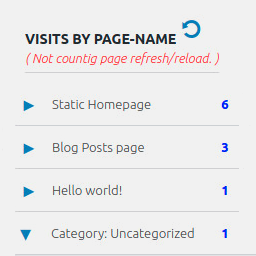
Display number of visits for each page in admin dashboard and browser developer-tool/console. Doesn't count page refresh as a new visit...
Bulk generate multiple Pages using dynamic content.
Show your posts with thumbnails in flexible, responsive layouts. Works as a sidebar widget or a block in the editor.

120+ Elementor widgets, AI tools, Mega Menu, WooCommerce, Header Footer & Popup Builder, Blog Builder & 1000+ templates. Connect any MCP AI agent.
CHOOSE WHAT YOUR WEBSITE NEEDS
Start with the task you need to solve. Compare features, WordPress and PHP requirements, update history and the author’s documentation. Test changes on a private copy and avoid adding several plugins for the same job.
This independent directory displays plugin information on WebFulHost and links to the official source. Packages are not mirrored or installed here. A plugin can include paid extensions or services with separate terms from its author.



