

WP Customer Area
By Aguila Technologies
WP Customer Area is a modular all-in-one solution to manage private content with WordPress.
★ 4.0/5 (89)10,000+ active installations
- Version
- 8.4.6
- WordPress
- 5.0+
- PHP
- 7.2+
- Updated
- 18 Nov 2026
WORDPRESS RESOURCES
Explore public plugin information from the official WordPress.org directory. Compare what a plugin does, its requirements and update history before adding it to your website.
Explore WordPress hosting →1,880 matching plugins reported by WordPress.org · Page 6 of 50
Source: WordPress.org
Data refreshed 26 Nov 2026 23:29 UTC
By Aguila Technologies
WP Customer Area is a modular all-in-one solution to manage private content with WordPress.

By webaware
Embed Google Maps shortcodes in pages and posts, either by center coordinates or street address, or by URL to a Google Earth KML file.

By ShapedPlugin LLC
Display product categories in responsive sliders or grids to showcase them effectively on your WooCommerce store and improve shoppers' navigation.

By Takashi Kitajima
Smart Custom Fields is a simple plugin for managing custom fields.
The ultimate WordPress translation solution with built-in language translator. Create multilingual content, switch languages, and translate your entir …
PageSpeed optimization is vital for SEO: A faster website equals better conversions. Optimize your Core Web Vitals metrics (CLS, LCP, TBT) today!
By Pektsekye
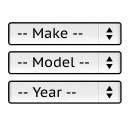
It will find products for selected make and model.

By itthinx
Turn your site into a powerful membership solution. Manage members, teams and access to content easily.

By YITHEMES
YITH WooCommerce Catalog Mode, a plugin for disabling sales in your e-commerce and turn it into an e-commerce into an online catalogue.

By Cool Plugins
Auto-translate unlimited strings and characters using AI & Machine Translation tools without any external API Key!

By Cool Plugins
AI-powered translation for your WordPress site, fully compatible with Elementor, Gutenberg, ACF, Rank Math, & Yoast SEO.

By webaware
replace EDD add-to-cart button with download link when product is free
CHOOSE WHAT YOUR WEBSITE NEEDS
Start with the task you need to solve. Compare features, WordPress and PHP requirements, update history and the author’s documentation. Test changes on a private copy and avoid adding several plugins for the same job.
This independent directory displays plugin information on WebFulHost and links to the official source. Packages are not mirrored or installed here. A plugin can include paid extensions or services with separate terms from its author.

