

GTM4WP – A Google Tag Manager (GTM) plugin for WordPress
By Thomas Geiger
Advanced tag management for WordPress with Google Tag Manager
★ 4.5/5 (155)700,000+ active installations
- Version
- 2.1.1
- WordPress
- 6.3+
- PHP
- 8.0+
- Updated
- 5 Nov 2026
WORDPRESS RESOURCES
Explore public plugin information from the official WordPress.org directory. Compare what a plugin does, its requirements and update history before adding it to your website.
Explore WordPress hosting →10,000 matching plugins reported by WordPress.org · Page 6 of 50
Source: WordPress.org
Data refreshed 20 Nov 2026 06:22 UTC
By Thomas Geiger
Advanced tag management for WordPress with Google Tag Manager

By Steve Truman
Places an icon, all time views count and views today count at the bottom of posts, pages and custom post types on any WordPress website.
By Jeroen Sormani
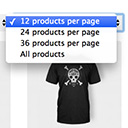
Products Per Page for WooCommerce is a easy-to-setup plugin that integrates a 'products per page' dropdown on your WooCommerce pages.

By Horea Radu
The One Page Express Companion plugin adds drag and drop page builder functionality to the One Page Express theme.
Bulk generate multiple Pages using dynamic content.

By Benjamin Denis
WordPress SEO plugin with AI SEO metadata, schema, XML sitemap, redirections & Search Console. Privacy-first, white-label SEO. Now AI-ready.

By Hook & Filter
Nested Pages provides a drag and drop interface for managing pages & posts in the WordPress admin, while maintaining quick edit functionality.

By Denis Botić
Display number of visits for each page in admin dashboard and browser developer-tool/console. Doesn't count page refresh as a new visit...
BlockStrap Page Builder - Bootstrap Blocks combines Bootstrap's power with the block editor's versatility.

By Sully
Export (an XML file) a single post or page using WordPress' eXtended RSS (WXR). There's no need to export your entire database anymore!

By NiteoThemes
Beautiful Coming soon, Maintenance or Landing page on your website, packed with premium features for free.

By Plugins and Snippets
This plugin offers a simple way to restrict visits to select pages only to logged-in users and allows for page redirection to an existing login page.
CHOOSE WHAT YOUR WEBSITE NEEDS
Start with the task you need to solve. Compare features, WordPress and PHP requirements, update history and the author’s documentation. Test changes on a private copy and avoid adding several plugins for the same job.
This independent directory displays plugin information on WebFulHost and links to the official source. Packages are not mirrored or installed here. A plugin can include paid extensions or services with separate terms from its author.

