EasyMega
By FameThemes
A Mega Menu plugin that helps you create mega menu easily, beautifully.
★ 3.0/5 (4)5,000+ active installations
- Version
- 1.1.9
- WordPress
- 4.7.3+
- Updated
- 15 Aug 2026
WORDPRESS RESOURCES
Explore public plugin information from the official WordPress.org directory. Compare what a plugin does, its requirements and update history before adding it to your website.
Explore WordPress hosting →2,752 matching plugins reported by WordPress.org · Page 6 of 50
Source: WordPress.org
Data refreshed 20 Nov 2026 09:42 UTC
By FameThemes
A Mega Menu plugin that helps you create mega menu easily, beautifully.

By Aurovrata Venet
Pure CSS responsive grid layouts for contact form 7. It enables rich interlinking of your CMS data via taxonomy/posts populated dropdown fields.
By Pektsekye
Displays product categories as dependent drop-down selects.
Synchronize products, stock, orders, customers, coupons and reviews seamlessly across multiple WooCommerce stores.

By NerdPress
One-click database optimization with precise revision cleanup and flexible scheduling. Speeding up sites since 2011!

By watchthedot
Quickly add the elements of 1 menu on to another
Compress images & PDFs automatically, convert to WebP & AVIF, and generate SEO-friendly filenames with AI. Bulk optimization, smart crop & resize.

By Aslam Doctor
Boost WooCommerce sales with the Rearrange Products for WooCommerce plugin. Easily reorder products with a simple drag-and-drop tool!

By Atlas Gondal
Extract every Media Library URL with title, size, dimensions, alt text and more. Filter by media type, export to CSV/JSON, and audit your library.

By kalender.digital
Plugin for the integration of a free calendar from Calendar.online or Kalender.digital
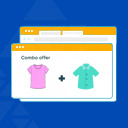
By Vidish
Combo Offers WooCommerce is a plugin help you bundle a few products with your custom quantity, offer them at a discount and watch the sales go up!

By themifyme
Build responsive layouts that work for desktop, tablets, and mobile using intuitive drag & drop editor with live preview.
CHOOSE WHAT YOUR WEBSITE NEEDS
Start with the task you need to solve. Compare features, WordPress and PHP requirements, update history and the author’s documentation. Test changes on a private copy and avoid adding several plugins for the same job.
This independent directory displays plugin information on WebFulHost and links to the official source. Packages are not mirrored or installed here. A plugin can include paid extensions or services with separate terms from its author.