Create WooCommerce product categories in bulk, in Parent>>Child hierarchy, and assign them to selected products in one go.
★ 4.5/5 (8)400+ active installations
- Version
- 2.5
- WordPress
- 5.8+
- PHP
- 7.4+
- Updated
- 22 Nov 2026
View plugin details ↗Latin permalinks and media file names for Greek sites (ELOT 743), one-click conversion of old Greek URLs with 301 redirects, and an accent checker.
★ 4.6/5 (9)1,000+ active installations
- Version
- 4.0.0
- WordPress
- 6.2+
- PHP
- 7.4+
- Updated
- 15 Oct 2026
View plugin details ↗Virtual folder organization and intelligent management for the WordPress Media Library, without altering file locations on disk.
★ 5.0/5 (2)300+ active installations
- Version
- 2.3.0
- WordPress
- 6.8+
- PHP
- 8.3+
- Updated
- 26 Nov 2026
View plugin details ↗Helps you to display your products in a searchable table layout with filters.
★ 4.8/5 (295)5,000+ active installations
- Version
- 6.1.5
- WordPress
- 6.2+
- PHP
- 7.4+
- Updated
- 29 Oct 2026
View plugin details ↗Adds Flamingo import/export, message management, upload retention and optional form integrations.
★ 5.0/5 (2)800+ active installations
- Version
- 1.6.4
- WordPress
- 6.7+
- PHP
- 7.4+
- Updated
- 25 Nov 2026
View plugin details ↗Build custom frontend user dashboards with login, registration, user profiles, frontend post editing, and role-based permissions.
★ 4.9/5 (137)500+ active installations
- Version
- 3.7.1
- WordPress
- 6.1+
- PHP
- 8.0+
- Updated
- 25 Nov 2026
View plugin details ↗Add categories and tags to pages and display enhanced category and tag widgets or blocks with searchable exclusion controls.
10+ active installations
- Version
- 1.2.1
- WordPress
- 5.8+
- PHP
- 7.0+
- Updated
- 22 Jul 2026
View plugin details ↗Show your team with blocks or shortcodes in Grid, Carousel, List, Isotope filter, and Org Chart layouts. Responsive, no code needed.
★ 4.7/5 (92)4,000+ active installations
- Version
- 4.0.0
- WordPress
- 6.6+
- PHP
- 7.4+
- Updated
- 26 Nov 2026
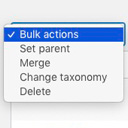
View plugin details ↗Allows you to merge terms, move terms between taxonomies, and set term parents, individually or in bulk.
★ 4.9/5 (76)10,000+ active installations
- Version
- 2.0.2
- WordPress
- 4.2+
- PHP
- 7.1+
- Updated
- 11 Dec 2025
View plugin details ↗Build a powerful Knowledge Base, Help Center, Wiki, or Documentation Site.
★ 4.7/5 (12)100+ active installations
- Version
- 2.0.0
- WordPress
- 6.5+
- PHP
- 7.4+
- Updated
- 17 Sep 2026
View plugin details ↗A simple and easy way to reorder your custom post types within terms in WordPress.
★ 5.0/5 (5)1,000+ active installations
- Version
- 1.3.2
- WordPress
- 6.5+
- PHP
- 7.2+
- Updated
- 22 Oct 2026
View plugin details ↗Associate images from your media library to categories, tags and custom taxonomies.
★ 4.4/5 (40)8,000+ active installations
- Version
- 1.0
- WordPress
- 4.4+
- PHP
- 5.3+
- Updated
- 15 Feb 2024
View plugin details ↗