

Display your WooCommerce products in a responsive Product Slider, Product Carousel, or Product Grid Gallery with easy customization.
★ 4.7/5 (281)20,000+ active installations
- Version
- 2.9.2
- WordPress
- 5.3+
- PHP
- 7.0+
- Updated
- 9 Nov 2026
WORDPRESS RESOURCES
Explore public plugin information from the official WordPress.org directory. Compare what a plugin does, its requirements and update history before adding it to your website.
Explore WordPress hosting →2,015 matching plugins reported by WordPress.org · Page 6 of 50
Source: WordPress.org
Data refreshed 22 Nov 2026 15:03 UTC
Display your WooCommerce products in a responsive Product Slider, Product Carousel, or Product Grid Gallery with easy customization.
YITH WooCommerce Product Gallery & Image Zoom add zoom effect to product images and a customizable image slider.

By Zinn Digital®
Multilingual WordPress, one post per language: linked translations of posts, pages, terms, media, widgets and the site title.

By Cool Plugins
Auto-translate unlimited strings and characters using AI & Machine Translation tools without any external API Key!

By YITHEMES
A tool to show your products’ brands, generate reliability and guarantee the quality of your products.

By WP Engine
Database Backup for WordPress is your one-stop database backup solution for WordPress.

By Johan Martin Aarstein
The most complete Lottie Player plugin! It is lightweight, versatile and easy to use, and it works with Gutenberg, Divi, Elementor and Flatsome.
By Pektsekye
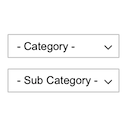
Displays product categories as dependent drop-down selects.

By Weblizar - WordPress Themes & Plugin
Pin Your Images With weblizar pin it button on image hover and post.

By ThemeBoy
SportsPress is an extendable all-in-one sports data plugin that helps sports clubs set up and manage a league or club site quickly and easily.

By Weblizar - WordPress Themes & Plugin
Image Optimization For Seo is the wordPress plugin. This plugin Resize and Compress the images to boost your site speed. It's also replaces the t …

By itthinx
Turn your site into a powerful membership solution. Manage members, teams and access to content easily.
CHOOSE WHAT YOUR WEBSITE NEEDS
Start with the task you need to solve. Compare features, WordPress and PHP requirements, update history and the author’s documentation. Test changes on a private copy and avoid adding several plugins for the same job.
This independent directory displays plugin information on WebFulHost and links to the official source. Packages are not mirrored or installed here. A plugin can include paid extensions or services with separate terms from its author.
