

Lifetime SSL solution - Free SSL certificate & HTTPS redirect, force HTTPS, fix insecure site / SSL errors, security headers.
★ 4.9/5 (1,147)50,000+ active installations
- Version
- 7.8.8.2
- WordPress
- 5.4+
- PHP
- 7.0+
- Updated
- 30 Oct 2026
WORDPRESS RESOURCES
Explore public plugin information from the official WordPress.org directory. Compare what a plugin does, its requirements and update history before adding it to your website.
Explore WordPress hosting →3,396 matching plugins reported by WordPress.org · Page 6 of 50
Source: WordPress.org
Data refreshed 20 Nov 2026 08:27 UTC
Lifetime SSL solution - Free SSL certificate & HTTPS redirect, force HTTPS, fix insecure site / SSL errors, security headers.

By wedos.com
Protect WordPress with WEDOS Global: cloud WAF, DDoS protection, CDN, page cache and proof-of-work form protection (beta).

By wpvividplugins
Optimize, compress and resize images in WordPress in bulk. Lazy load images. Auto resize and optimize images upon upload.

By Brainstorm Force
Custom Fonts is a powerful WordPress plugin that allows you to upload your own custom fonts or choose from a vast collection of Google Fonts, all host …
Elementor addon: 120+ widgets & templates — Elementor Gallery, Mega Menu, Slider, Form, Post Grid, Accordion, Header Footer Builder & WooCommerce.
Protect your WordPress with SecuPress, analyze and ensure the safety of your website daily.

By ArtistScope
Display copy protected PDF documents on WordPress pages and posts.

By Dominopress
Easily understand how to increase wordpress memory limit, how to increase upload limit in wordpress, and how to increase php limit in wordpress direct …

By ArtistScope
Secure copy protection for images, video and PDF. Prevent screenshots, screen capture and screen recording.
By bruandet
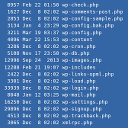
An xterm-like plugin to run non-interactive shell commands.

By Ludwig You
Modular WordPress toolkit for security, performance, SMTP, WebP images, code snippets, redirects, administration and more.

By Ciprian Popescu
For communities, clubs and photographers: let members upload photos from the front end, moderate them, and show them in responsive galleries.
CHOOSE WHAT YOUR WEBSITE NEEDS
Start with the task you need to solve. Compare features, WordPress and PHP requirements, update history and the author’s documentation. Test changes on a private copy and avoid adding several plugins for the same job.
This independent directory displays plugin information on WebFulHost and links to the official source. Packages are not mirrored or installed here. A plugin can include paid extensions or services with separate terms from its author.

