Add a "Was this page helpful?" feedback widget to WordPress. Includes beautiful icon styles, analytics, email alerts, and GDPR tools.
★ 5.0/5 (1)20+ active installations
- Version
- 1.1.4
- WordPress
- 6.1+
- PHP
- 7.4+
- Updated
- 24 Aug 2026
View plugin details ↗Create stunning FAQ & accordion blocks. SEO-optimized, fully accessible, zero performance impact. No coding needed.
★ 4.1/5 (34)9,000+ active installations
- Version
- 5.6.0
- WordPress
- 5.7+
- PHP
- 7.4+
- Updated
- 13 Oct 2026
View plugin details ↗Attach images to WordPress comments with drag-and-drop, preview before posting, admin moderation, and lightbox viewer.
★ 5.0/5 (4)70+ active installations
- Version
- 1.1.0
- WordPress
- 5.8+
- PHP
- 7.4+
- Updated
- 17 Nov 2026
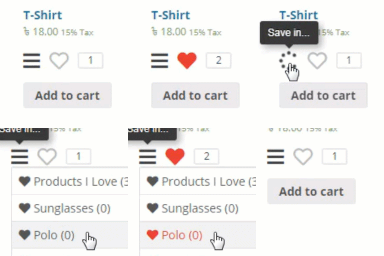
View plugin details ↗Add wishlist feature to your WooCommerce product or any post types.
★ 3.8/5 (13)300+ active installations
- Version
- 1.0.46
- WordPress
- 3.8+
- Updated
- 8 Jun 2026
View plugin details ↗Business Directory plugin powered by AI. MULTIPURPOSE with Google Maps or OSM - STAFF Directory, Store LOCATOR, Employee Directory, Company Directory
★ 4.9/5 (62)200+ active installations
- Version
- 7.2.0
- WordPress
- 5.3+
- PHP
- 7.4+
- Updated
- 19 Oct 2026
View plugin details ↗Revix Reviews helps you collect, import, and display reviews—including Trustpilot and Google—with more platforms coming soon.
★ 5.0/5 (1)60+ active installations
- Version
- 1.3.0
- WordPress
- 5.8+
- PHP
- 8.0+
- Updated
- 9 Oct 2026
View plugin details ↗Like and dislike buttons with live counts for posts, pages, products and comments, a "Was this helpful?" mode, most liked posts, and stats.
10+ active installations
- Version
- 3.0.0
- WordPress
- 6.0+
- PHP
- 7.4+
- Updated
- 24 Sep 2026
View plugin details ↗The best WordPress plugin for generating 5-star customer reviews on Google, Facebook, Tripadvisor, and many more platforms.
★ 4.6/5 (25)100+ active installations
- Version
- 3.1.34
- WordPress
- 6.0+
- PHP
- 7.4+
- Updated
- 3 Nov 2026
View plugin details ↗Let users cast votes/likes on your WordPress gallery images/photos.
★ 4.2/5 (12)300+ active installations
- Version
- 1.5
- WordPress
- 3.8+
- Updated
- 1 May 2025
View plugin details ↗Replacement for the Facebook Like button.
★ 4.0/5 (6)40+ active installations
- Version
- 0.3
- WordPress
- 5.0+
- Updated
- 26 Apr 2026
View plugin details ↗Turbo Addons for Elementor offers 90+ widgets & 200+ modern ready templates - free menu, slider, post list, modal, accordion, grid, woocommerce & mroe
★ 4.8/5 (5)3,000+ active installations
- Version
- 1.9.6
- WordPress
- 5.0+
- PHP
- 7.4+
- Updated
- 10 Nov 2026
View plugin details ↗Add AJAX likes/dislikes, star ratings, views, reactions, favorites, sharing, and copy content for posts or WooCommerce products.
★ 5.0/5 (3)40+ active installations
- Version
- 3.0
- WordPress
- 4.7+
- PHP
- 7.0+
- Updated
- 23 May 2026
View plugin details ↗