

WP-SCSS
By Connect Think
Compiles .scss files to .css and enqueues them.
★ 4.3/5 (62)40,000+ active installations
- Version
- 5.1.1
- WordPress
- 3.0.1+
- PHP
- 7.2+
- Updated
- 3 Nov 2026
WORDPRESS RESOURCES
Explore public plugin information from the official WordPress.org directory. Compare what a plugin does, its requirements and update history before adding it to your website.
Explore WordPress hosting →3,918 matching plugins reported by WordPress.org · Page 6 of 50
Source: WordPress.org
Data refreshed 20 Nov 2026 18:13 UTC
By Connect Think
Compiles .scss files to .css and enqueues them.

By ulfben
Legacy collapsible navigation trees for WordPress. For a modern alternative with native blocks, see Content Trees.
By Roland Murg
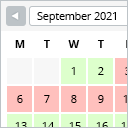
This booking calendar shows when something is booked or available. Use it to show when your holiday home is available for rent, for example.

By matomoteam
Adds Matomo (former Piwik) statistics to your WordPress dashboard and is also able to add the Matomo Tracking Code to your blog.

By Denra.com
Shortcode to show any current, past, and future date or time. Display this, previous, or next year, month, day, etc.
Automatically post and schedule your WordPress content to Facebook, X/Twitter, LinkedIn, Threads, Bluesky, and more social networks using Buffer.
Post and Page Builder is a standalone plugin which adds functionality to the existing TinyMCE Editor.

By Arshid
WP SMTP Mailer Plugin - SMTP7. Make email delivery easy from WordPress. It is easy to configure.

By edo888
Translate WordPress with Google Translate multilanguage plugin using AI translation. Complete multilingual SEO solution, WooCommerce compatible.
Create an AI-powered frontend post form, user registration form, user profile page, membership site, user directory, and content restriction.

By Marco Milesi
Attach files to any post or page and let WP Attachments list them for you, with icons, file sizes and a download counter.

By linux4me2
A simple but flexible plugin to allow the use of menus in posts and pages.
CHOOSE WHAT YOUR WEBSITE NEEDS
Start with the task you need to solve. Compare features, WordPress and PHP requirements, update history and the author’s documentation. Test changes on a private copy and avoid adding several plugins for the same job.
This independent directory displays plugin information on WebFulHost and links to the official source. Packages are not mirrored or installed here. A plugin can include paid extensions or services with separate terms from its author.


