

CSS JS Files
By jamesdlow
Select files CSS/JS and/or write CSS/JS rules to any single page or post or globally
★ 5.0/5 (2)100+ active installations
- Version
- 1.5.8
- WordPress
- 4.9.0+
- Updated
- 27 Sep 2026
WORDPRESS RESOURCES
Explore public plugin information from the official WordPress.org directory. Compare what a plugin does, its requirements and update history before adding it to your website.
Explore WordPress hosting →4,355 matching plugins reported by WordPress.org · Page 7 of 50
Source: WordPress.org
Data refreshed 19 Nov 2026 04:45 UTC
By jamesdlow
Select files CSS/JS and/or write CSS/JS rules to any single page or post or globally

By Ashish Ajani
Using Simple HTML Sitemap plugin, you can add HTML Sitemap anywhere on the website using Shortcode.

By bramwaas
Block widget that displays events from a public google calendar or iCal file.

By Jeff Starr
Tracks your feeds and displays your feed count via shortcode.

Create user registration forms, build advanced registration forms, accept payments, track submissions, manage users, assign user roles, analyze stats …
Take full control over the emails you send and customize your WooCommerce emails with our plugin.
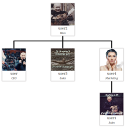
By G Matta
Drag-and-drop organization chart for WordPress. Display your team hierarchy with a shortcode.

By Konrad Chmielewski
All-in-one enhancement suite that improves WordPress & Advanced Custom Fields.

By Spacetime
Manage Google AdSense ads, banners, ad rotation, sticky widgets, AMP ads, ads.txt, tracking, header and footer code, PHP code, global custom fields

By Awais Altaf
Show your logo anywhere: theme header, login screen, admin bar, and emails. Retina, dark mode, mobile, sticky, and per-page logos.

By Riaan K.
Replace the default WooCommerce Thank You page (order received page) with a custom Thank You page.
Integrate Tailwind CSS 3 or 4 into WordPress easily, in seconds. Works well with the block editor, page builders, plugins, themes, and custom code.
CHOOSE WHAT YOUR WEBSITE NEEDS
Start with the task you need to solve. Compare features, WordPress and PHP requirements, update history and the author’s documentation. Test changes on a private copy and avoid adding several plugins for the same job.
This independent directory displays plugin information on WebFulHost and links to the official source. Packages are not mirrored or installed here. A plugin can include paid extensions or services with separate terms from its author.

