

Services section block for Gutenberg – build a professional "Our Services" section with icons, templates, layouts, and custom colors. No code needed .
★ 4.5/5 (4)2,000+ active installations
- Version
- 1.4.7
- WordPress
- 6.5+
- PHP
- 7.4+
- Updated
- 25 Nov 2026
WORDPRESS RESOURCES
Explore public plugin information from the official WordPress.org directory. Compare what a plugin does, its requirements and update history before adding it to your website.
Explore WordPress hosting →5,077 matching plugins reported by WordPress.org · Page 7 of 50
Source: WordPress.org
Data refreshed 25 Nov 2026 14:41 UTC
Services section block for Gutenberg – build a professional "Our Services" section with icons, templates, layouts, and custom colors. No code needed .
Optimize Core Web Vitals and PageSpeed with advanced caching, image compression, lazy loading, critical CSS, and CDN – the ultimate performance tool.
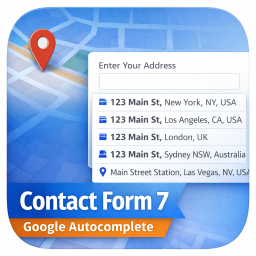
By theme funda
Add a Google Address Autocomplete field to Contact Form 7 forms. Powered by Google Places API for real-time address suggestions and accurate data coll …
Automatically show a default featured image on posts, pages, WooCommerce products and custom post types that have no thumbnail. No code needed.

By Kirtikumar Solanki
Download installed plugins, themes, and WordPress core files directly from your dashboard. Ideal for backups, migration, and development.

By wp.insider
Simple membership plugin adds membership functionality to your site. Protect members only content using content protection easily.

By Ludwig You
Modular WordPress toolkit for security, performance, SMTP, WebP images, code snippets, redirects, administration and more.
Get Bulletproof Security for your WordPress site. WordPress security plugin packed with comprehensive Firewall, malware scanner, cleaner & more.

By themifyme
Add a simple Portfolio post type to your site.

By Ninja Team
Duplicate pages, posts, and custom post types with one click. Create templates, preserve content states, and speed up workflows.
Save time by editing posts, pages, users, and more with a simple /edit URL shortcut. This is a fast admin shortcut for WordPress admin editing.
A productivity desktop and custom dashboard for wp-admin: windows, dark mode, dashboard notes, an AI assistant, and a progressive web app (PWA).
CHOOSE WHAT YOUR WEBSITE NEEDS
Start with the task you need to solve. Compare features, WordPress and PHP requirements, update history and the author’s documentation. Test changes on a private copy and avoid adding several plugins for the same job.
This independent directory displays plugin information on WebFulHost and links to the official source. Packages are not mirrored or installed here. A plugin can include paid extensions or services with separate terms from its author.




