

Build responsive sliders and carousels in the block editor - image, video, post, testimonial, logo and before-after slider blocks.
★ 4.9/5 (14)6,000+ active installations
- Version
- 3.4.2
- WordPress
- 6.5+
- PHP
- 7.4+
- Updated
- 18 Nov 2026
WORDPRESS RESOURCES
Explore public plugin information from the official WordPress.org directory. Compare what a plugin does, its requirements and update history before adding it to your website.
Explore WordPress hosting →10,000 matching plugins reported by WordPress.org · Page 7 of 50
Source: WordPress.org
Data refreshed 20 Nov 2026 14:08 UTC
Build responsive sliders and carousels in the block editor - image, video, post, testimonial, logo and before-after slider blocks.

By UIUX Lab
Uix Shortcodes brings an amazing set of beautiful and useful elements to your site that lets you do nifty things with very little effort.
By Denra.com
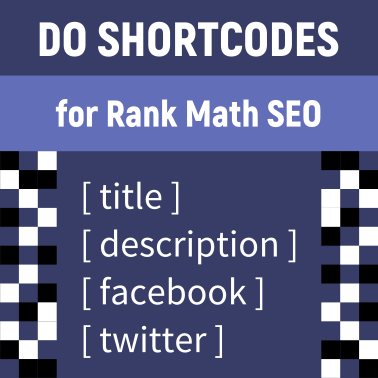
Display shortcodes in the title, description, Facebook and Twitter fields, and other locations for Rank Math SEO.
Query, filter and display content dynamically - WooCommerce and CPT Grids, ACF Galleries, MetaBox Maps and more.

❤️ Excellent membership plugin! Easy, quick, flexible. Monetize your site with memberships and subscriptions. Protect content instantly and securely.

By Dog Byte Marketing
Quickly add FAQ sections compatible with structured data to your site using simple shortcodes, improving your SEO.
Slider, gallery, carousel plugin for WordPress. Build your image slider, video slider, post slider, YouTube slider, or WooCommerce product slider.

By Gemini Labs
Site Reviews is the best free reviews plugin. It integrates with WooCommerce & SureCart and works just like reviews on Amazon, Tripadvisor, and Yelp.
Lightbox Block lets you display images, audio, video, and custom content in responsive lightbox galleries or media popups.
Easily add code snippets in WordPress. Insert header & footer scripts, add PHP code snippets with conditional logic, insert ads pixel code, and more.

By Vikas Sharma
Breadcrumbs, content control, header/footer scripts, comment control, duplicate posts and script optimisation — all from one settings screen.

By Amr Abdelkarem
Scan your site for orphaned shortcodes and remove them safely from post content and excerpts.
CHOOSE WHAT YOUR WEBSITE NEEDS
Start with the task you need to solve. Compare features, WordPress and PHP requirements, update history and the author’s documentation. Test changes on a private copy and avoid adding several plugins for the same job.
This independent directory displays plugin information on WebFulHost and links to the official source. Packages are not mirrored or installed here. A plugin can include paid extensions or services with separate terms from its author.



