Clear Floats Button
By Graffino
Clear floats in one click: a button for the Classic Editor and a Clear floats block for the Block Editor.
★ 5.0/5 (6)2,000+ active installations
- Version
- 2.0.0
- WordPress
- 5.9+
- PHP
- 8.1+
- Updated
- 3 Nov 2026
WORDPRESS RESOURCES
Explore public plugin information from the official WordPress.org directory. Compare what a plugin does, its requirements and update history before adding it to your website.
Explore WordPress hosting →4,671 matching plugins reported by WordPress.org · Page 7 of 50
Source: WordPress.org
Data refreshed 22 Nov 2026 18:58 UTC
By Graffino
Clear floats in one click: a button for the Classic Editor and a Clear floats block for the Block Editor.
Save abandoned carts and send automated abandoned cart recovery messages. Get more leads, reduce cart abandonment, and increase sales.
Optimize Core Web Vitals and PageSpeed with advanced caching, image compression, lazy loading, critical CSS, and CDN – the ultimate performance tool.

By Weston Ruter
Enables back/forward cache (bfcache) for instant history navigations even when “nocache” headers are sent, such as when a user is logged in.

By Gustavo Bordoni
FakerPress is a clean way to generate fake and dummy content to your WordPress, great for developers who need testing

By GetButton.io
Floating button for chatting with your visitors via WhatsApp, Messenger, Contact form, and more.

By monetizemore
Ads for Genesis allows you to display any kind of ads without coding in your Genesis theme.
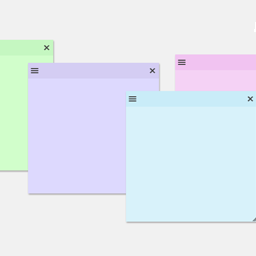
By Web Builder 143
Create sticky notes in your WP admin for reminders and to-dos. Restrict notes by user roles and disable them on specific pages.

By WPZOOM
A beautiful collection of block patterns for food bloggers.

By antomintegration
One click to integrate 300+ payment methods around the globe - US, APAC, Latam and Middle East: from major cards, to global digital payments, to hundr …

By webaware
Delete old, expired transients from WordPress wp_options table

By invisnet
WP fail2ban uses fail2ban to protect your WordPress site.
CHOOSE WHAT YOUR WEBSITE NEEDS
Start with the task you need to solve. Compare features, WordPress and PHP requirements, update history and the author’s documentation. Test changes on a private copy and avoid adding several plugins for the same job.
This independent directory displays plugin information on WebFulHost and links to the official source. Packages are not mirrored or installed here. A plugin can include paid extensions or services with separate terms from its author.