

The Events Calendar: Category Colors
By Nexcess
Add event category background colors to The Events Calendar events.
★ 5.0/5 (61)4,000+ active installations
- Version
- 7.4.2
- WordPress
- 6.3+
- PHP
- 7.4+
- Updated
- 16 Sep 2025
WORDPRESS RESOURCES
Explore public plugin information from the official WordPress.org directory. Compare what a plugin does, its requirements and update history before adding it to your website.
Explore WordPress hosting →1,881 matching plugins reported by WordPress.org · Page 7 of 50
Source: WordPress.org
Data refreshed 22 Nov 2026 01:44 UTC
By Nexcess
Add event category background colors to The Events Calendar events.

By Passionate Brains
Connect Google Analytics to WordPress in a few clicks. Track key WooCommerce & WordPress events with a GA4 dashboard built into wp-admin.

By hdfraser
Know where every visitor came from, including ChatGPT, Gemini, and Perplexity. No JavaScript, no cookie banner trigger, no page speed cost.
By The AV Coach
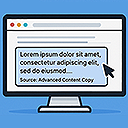
Modifies copied content with customizable text, link, and snippet options when pasted elsewhere.

By BuddyPilot
Easy returns for WooCommerce: EU withdrawal button (Directive 2023/2673), online return form, cooling-off period tracking and operator workflow.
Google Analytics 4 for WordPress that tracks results: form leads, sign-ups and goal values, with GA4's own event names and a setup checklist.

By Mark McNeece of 365i
The only WordPress plugin that generates all 10 AI Discovery Files and shows which AI bots read them. Built by 365i.

By XAPP AI
Book More. Know More. Grow More. AI agents that book jobs and capture leads 24/7 from your website, Google and AI assistants.

By Dog Byte Marketing
Bridge Mautic with WordPress, WooCommerce, and OptinMonster, automatically tagging contacts with their purchases, categories, and brands.

By BaseCloud
Advanced UTM tracking with automated webhook injection for Gravity Forms, Elementor, WPForms, and Contact Form 7.

By Plausible Insights OÜ
Simple, lightweight, privacy-friendly Google Analytics alternative for WordPress with a clean dashboard.

By DaleAB
Add member authentication and access role management to your WordPress site via Membee's powerful Member Single Sign-On web service.
CHOOSE WHAT YOUR WEBSITE NEEDS
Start with the task you need to solve. Compare features, WordPress and PHP requirements, update history and the author’s documentation. Test changes on a private copy and avoid adding several plugins for the same job.
This independent directory displays plugin information on WebFulHost and links to the official source. Packages are not mirrored or installed here. A plugin can include paid extensions or services with separate terms from its author.
