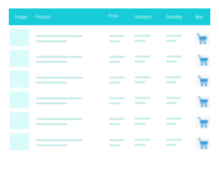
Easily customize the "Place Order" and "Add to Cart" button texts in WooCommerce no coding required.
★ 3.0/5 (2)60+ active installations
- Version
- 2.6.15
- WordPress
- 6.0+
- Updated
- 12 Oct 2026
WORDPRESS RESOURCES
Explore public plugin information from the official WordPress.org directory. Compare what a plugin does, its requirements and update history before adding it to your website.
Explore WordPress hosting →5,163 matching plugins reported by WordPress.org · Page 7 of 50
Source: WordPress.org
Data refreshed 20 Nov 2026 21:36 UTC
Easily customize the "Place Order" and "Add to Cart" button texts in WooCommerce no coding required.

By HoliThemes
WhatsApp Chat🔥. Let's make your Web page visitors contact you through 'WhatsApp', 'WhatsApp Business'. Add matching Widget✅

By Sharabindu Bakshi
Add a stylish sliding mini cart to your WooCommerce store. AJAX add to cart, cart icon in menu/footer, and instant cart preview — no reload needed.
90+ Elementor widgets & addons, 600+ templates, Mega Menu, WooCommerce, Display Conditions. The only Elementor addon AI agents can fully build with.
Join millions who empower their websites with ElementsKit Elementor Addons. Get templates, & 100+ widgets like header-footer, mega menu, custom widget
Add a side cart, popup cart, floating cart button, and one-page checkout layouts to WooCommerce.

By WPClever
WPC Smart Quick View allows users to get a quick look at products without opening the product page.
A truly lightweight, EASY to use and super FAST WooCommerce product table solution to add multiple products to cart at once.

By SoftSprint
Plugin sets a redirect link to the WooCommerce "Add To Cart" button
Turn WooCommerce into Catalog Mode. Hide prices & Add to Cart. Perfect for Wholesale, B2B, and Members-only stores. No coding needed.
Supercharge WooCommerce with FREE Abandoned Cart Recovery, Product Variation Swatches, PDF Invoices & 100+ tools. Boost sales & save time.

By Noor Alam
Easily accept payment in WordPress by adding a PayPal button to your website.
CHOOSE WHAT YOUR WEBSITE NEEDS
Start with the task you need to solve. Compare features, WordPress and PHP requirements, update history and the author’s documentation. Test changes on a private copy and avoid adding several plugins for the same job.
This independent directory displays plugin information on WebFulHost and links to the official source. Packages are not mirrored or installed here. A plugin can include paid extensions or services with separate terms from its author.