

Add a Contact Form 7 popup on button click. Create a simple CF7 popup form or contact form popup with just a few clicks.
★ 4.6/5 (16)5,000+ active installations
- Version
- 2.3
- WordPress
- 6.6+
- PHP
- 7.4+
- Updated
- 19 Nov 2026
WORDPRESS RESOURCES
Explore public plugin information from the official WordPress.org directory. Compare what a plugin does, its requirements and update history before adding it to your website.
Explore WordPress hosting →593 matching plugins reported by WordPress.org · Page 7 of 50
Source: WordPress.org
Data refreshed 21 Nov 2026 19:11 UTC
Add a Contact Form 7 popup on button click. Create a simple CF7 popup form or contact form popup with just a few clicks.

Want to boost sales & marketing efforts? Use your favorite forms & builder. Unlimited popups & impressions, keep your data, no monthly subscription.

By WEN Solutions
A very easy plugin to integrate GetResponse campaigns with Contact Form 7.

By Jami Pietilä
Integrates Creamailer for Contact Form 7.
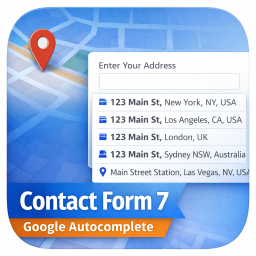
By theme funda
Add a Google Address Autocomplete field to Contact Form 7 forms. Powered by Google Places API for real-time address suggestions and accurate data coll …

By activetrailteam
The official ActiveTrail email and multichannel marketing automation integration for Contact Form 7.

By howdytheme
Show a beautiful, fully customizable success popup notification on Contact Form 7 submission. Control colors, borders, size, button text, and auto-hid …

By wpdebuglog
Honeypot Plus for Contact Form 7 - Adds honeypot plus anti-spam functionality to Contact Form 7 forms.
PDF Builder for CF7, Divi, Elementor Forms, Everest, Fluent, Formidable, Forminator, Gravity, JFB, Ninja, WPForms, WooCommerce, Post Meta, ACF, etc.

By weboksolutions
Lightweight honeypot spam protection for Contact Form 7. Zero config — just add [honeypot] to your form.

By add-ons.org
The Repeater Fields for Contact Form 7 allow you to create one or more sets of fields that can be repeated.

By jrswordpress
Add recipient dropdowns to Contact Form 7. Let visitors route their messages to the right person or department without exposing email addresses.
CHOOSE WHAT YOUR WEBSITE NEEDS
Start with the task you need to solve. Compare features, WordPress and PHP requirements, update history and the author’s documentation. Test changes on a private copy and avoid adding several plugins for the same job.
This independent directory displays plugin information on WebFulHost and links to the official source. Packages are not mirrored or installed here. A plugin can include paid extensions or services with separate terms from its author.
