

ShareThis Share Buttons
By ShareThis
Increase traffic and engagement with fast, responsive social share buttons for WordPress. No paid upgrades required.
★ 3.5/5 (26)10,000+ active installations
- Version
- 2.3.13
- WordPress
- 5.5+
- Updated
- 7 Oct 2026
WORDPRESS RESOURCES
Explore public plugin information from the official WordPress.org directory. Compare what a plugin does, its requirements and update history before adding it to your website.
Explore WordPress hosting →6,364 matching plugins reported by WordPress.org · Page 7 of 50
Source: WordPress.org
Data refreshed 23 Nov 2026 22:25 UTC
By ShareThis
Increase traffic and engagement with fast, responsive social share buttons for WordPress. No paid upgrades required.
Your content is worth sharing. Let's makes it easier!
Create a staging WordPress site from production (live site). Ideal for testing updates, version change or re-write. Sync back only the changes.

By Suplugins
CTA Buttons that reveal text on click. Made for affiliate & PPC websites. Reveal voucher & bonus codes. Responsive & SEO Optimized

By Fernando Tellado
Inline AI summary on every post + one-click sharing to social networks and 11 AI assistants. Powered by the new WordPress 7.0 AI Connectors.
WooCommerce refund and returns process made simple. Let your customers request a refund and return products directly from the My Account page.
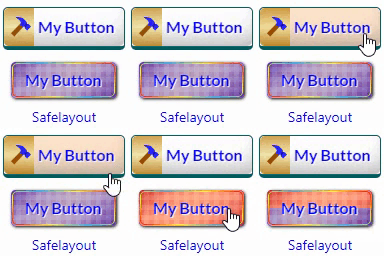
By safelayout
Beautiful CSS buttons in Gutenberg, Elementor & Classic Editor. Call to Action buttons with inline SVGs, click animations, after-click loading.

By Scott Paterson
Add a PayPal Buy Now Button to your website and start selling with PayPal and Stripe today. No Coding Required. Official PayPal & Stripe Partner.

By Tijmen Smit
Free store locator with OpenStreetMap maps and no API key. Or use Google Maps, Mapbox or Stadia Maps. Unlimited locations, custom fields and markers.

By Polanger
Add floating WhatsApp and Phone call buttons to your website with advanced customization options.

By ServMask
Trusted by 60M+ sites: The gold standard for WordPress migration and backup. Migrate, backup, and restore your WordPress site with one click.

By Fernando Acosta
Make entire columns, sections and containers clickable in Elementor, with real SEO-friendly links, keyboard access and click tracking.
CHOOSE WHAT YOUR WEBSITE NEEDS
Start with the task you need to solve. Compare features, WordPress and PHP requirements, update history and the author’s documentation. Test changes on a private copy and avoid adding several plugins for the same job.
This independent directory displays plugin information on WebFulHost and links to the official source. Packages are not mirrored or installed here. A plugin can include paid extensions or services with separate terms from its author.


