

Successful Redirection for Contact Form
By Jayasree TU
A simple add-on for Forms that adds a redirect option after form sent successfully.
★ 5.0/5 (4)10,000+ active installations
- Version
- 2.0.1
- WordPress
- 4.7.0+
- Updated
- 19 Nov 2026
WORDPRESS RESOURCES
Explore public plugin information from the official WordPress.org directory. Compare what a plugin does, its requirements and update history before adding it to your website.
Explore WordPress hosting →10,000 matching plugins reported by WordPress.org · Page 7 of 50
Source: WordPress.org
Data refreshed 26 Nov 2026 06:07 UTC
By Jayasree TU
A simple add-on for Forms that adds a redirect option after form sent successfully.

By Ninja Team
Automatically save all data submitted via Contact Form 7 to your database

By silverplugins217
Add live calculator fields to Contact Form 7 forms. Build cost, price, quote, and date calculators without reloading the page.

By ZealousWeb
Track Geolocation Of Users Using Contact Form 7 allows you to get geolocation information with their form submission.

By add-ons.org
Restrict Dates is a Contact Form 7 add-on that restricts users from selecting specific dates in your Contact Form 7 date picker field.

By Jeff Starr
Displays a user-friendly contact form that your visitors will love. Lightweight, fast, secure, and accessible (ADA/WCAG compliant).
This WordPress Plugin Adds Contact Form 7 widget element to Elementor page builder for easy drag & drop the created contact forms with CF7 (contac …

By Sagar Giri
Add Contact Form 7 Data to Brevo Contact lists.

By activetrailteam
The official ActiveTrail email and multichannel marketing automation integration for Contact Form 7.
By theme funda
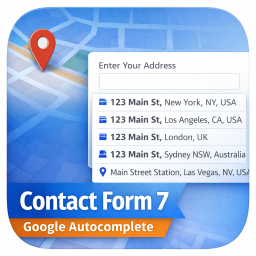
Add a Google Address Autocomplete field to Contact Form 7 forms. Powered by Google Places API for real-time address suggestions and accurate data coll …

By Aurovrata Venet
Pure CSS responsive grid layouts for contact form 7. It enables rich interlinking of your CMS data via taxonomy/posts populated dropdown fields.

By WEN Solutions
A very easy plugin to integrate GetResponse campaigns with Contact Form 7.
CHOOSE WHAT YOUR WEBSITE NEEDS
Start with the task you need to solve. Compare features, WordPress and PHP requirements, update history and the author’s documentation. Test changes on a private copy and avoid adding several plugins for the same job.
This independent directory displays plugin information on WebFulHost and links to the official source. Packages are not mirrored or installed here. A plugin can include paid extensions or services with separate terms from its author.
