
Simple Custom CSS Plugin
By John Regan
Add Custom CSS to your WordPress site without any hassles.
★ 4.7/5 (159)100,000+ active installations
- Version
- 4.0.7
- WordPress
- 3.0.1+
- Updated
- 11 Mar 2025
WORDPRESS RESOURCES
Explore public plugin information from the official WordPress.org directory. Compare what a plugin does, its requirements and update history before adding it to your website.
Explore WordPress hosting →10,000 matching plugins reported by WordPress.org · Page 7 of 50
Source: WordPress.org
Data refreshed 20 Nov 2026 14:19 UTC
By John Regan
Add Custom CSS to your WordPress site without any hassles.
90+ Elementor widgets & addons, 600+ templates, Mega Menu, WooCommerce, Display Conditions. The only Elementor addon AI agents can fully build with.

By dudaster
Seven free modules for Elementor: dark mode, container layouts, mobile menu, editorial text, style presets, JSON editor — all modular, all free.

By BoldGrid
Search Engine (SEO) & Performance Optimization (WPO) via caching. Integrated caching: CDN, Page, Minify, Object, Fragment, Database support.
By Jory Hogeveen
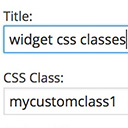
Add custom classes and ids plus first, last, even, odd, and numbered classes to your widgets.

By WP Overnight
Create, print & automatically email PDF or XML Invoices & PDF Packing Slips for WooCommerce orders.
Create and manage menus of any size of your content-heavy wordpress blogs and websites. Simplified search and new comprehensive layout.

By creativeinteractivemedia
Scroll animations, hover effects, typewriter text and count-up numbers for Gutenberg, Elementor and Bricks. CSS and 3D WebGL effects. No code.

By Mark Howells-Mead
Allow separator (HR / line) and unlinked, text-only entries in WordPress' classic navigation menus.

By Mahfuzur Rahman
Hide or show WordPress menu items by user role and login status, item by item, without creating duplicate menus.

By robosoft
Robo Gallery is a powerful image gallery and photo gallery plugin with advanced features to create responsive galleries with a beautiful lightbox
Optimize and tweak WordPress by disable unused features. Improve performance, SEO and security using Clearfy — super easy, fast and zero code.
CHOOSE WHAT YOUR WEBSITE NEEDS
Start with the task you need to solve. Compare features, WordPress and PHP requirements, update history and the author’s documentation. Test changes on a private copy and avoid adding several plugins for the same job.
This independent directory displays plugin information on WebFulHost and links to the official source. Packages are not mirrored or installed here. A plugin can include paid extensions or services with separate terms from its author.


