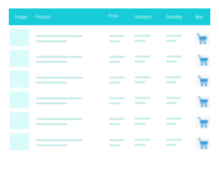
Easily add a range of custom fields to WooCommerce products, from text boxes to date selectors, allowing customers to personalize their orders.
★ 4.5/5 (283)20,000+ active installations
- Version
- 34.0.14
- WordPress
- 6.2+
- PHP
- 7.2+
- Updated
- 16 Nov 2026
WORDPRESS RESOURCES
Explore public plugin information from the official WordPress.org directory. Compare what a plugin does, its requirements and update history before adding it to your website.
Explore WordPress hosting →3,579 matching plugins reported by WordPress.org · Page 7 of 50
Source: WordPress.org
Data refreshed 22 Nov 2026 15:58 UTC
Easily add a range of custom fields to WooCommerce products, from text boxes to date selectors, allowing customers to personalize their orders.
Create eye-catching product badges and labels for your WooCommerce store in seconds. 100+ built-in product badges. Fully customizable.

The drag and drop AI form builder for contact forms, multi-step forms, payment forms, quizzes, polls, surveys, calculators, and web apps.

By Noor Alam
Easily accept payment in WordPress by adding a PayPal button to your website.
A truly lightweight, EASY to use and super FAST WooCommerce product table solution to add multiple products to cart at once.

By riinagency
Helps WooCommerce store owners implement the withdrawal flow described in EU Directive 2023/2673.
Send beautiful newsletters from WordPress. Collect subscribers with signup forms, automate your emails for WooCommerce, blog post notifications & more

By Payment Plugins
Accept Credit Cards, Google Pay, ApplePay, Afterpay, Affirm, ACH, Klarna, iDEAL and more all in one plugin for free!
By Softound Solutions
Write the custom stock status with different colors for each woocommerce product, to show in product details and listing pages.

By Fahad Mahmood
Add to Cart Ajax for WordPress Theme Hello Elementor / Mini Cart.

By Steve Truman
Set Product Page Rules, Hide Add to Cart, Hide Price, Show Email Inquiry, Filter Rules by Roles for logged in users. 100% Mobile responsive Email Inqu …

Floating Awesome Button (FAB) helps website owner, getting more conversion, by adding interactive element such as (Sticky Button, Popup, Toast, etc)
CHOOSE WHAT YOUR WEBSITE NEEDS
Start with the task you need to solve. Compare features, WordPress and PHP requirements, update history and the author’s documentation. Test changes on a private copy and avoid adding several plugins for the same job.
This independent directory displays plugin information on WebFulHost and links to the official source. Packages are not mirrored or installed here. A plugin can include paid extensions or services with separate terms from its author.